To save an Amazon deal for later without checking out, add the item to your Wishlist to monitor price changes over time and keep it visible for future consideration. You can also move items to “Save for Later” in your cart for easy access later. Additionally, set up price alerts via third-party tools to get notifications when prices drop. Keep exploring these tips to make your shopping smarter and more organized — there’s more to discover ahead.

Get your next haul delivered free — and shop member deals
- Fast, free delivery on millions of items
- Access to Prime Big Deal Days deals on October 6–7
- Prime Video, Amazon Music and more included
Key Takeaways
- Add the deal to your Amazon Wishlist to save it for future reference without purchasing immediately.
- Use the “Save for Later” feature in your cart to keep the item accessible without checking out.
- Set up price alerts with third-party tools to monitor deal changes without frequent manual checks.
- Track the item’s price and updates through Wishlist to decide the best time to buy later.
- Compare prices across retailers before committing to ensure the deal remains competitive.
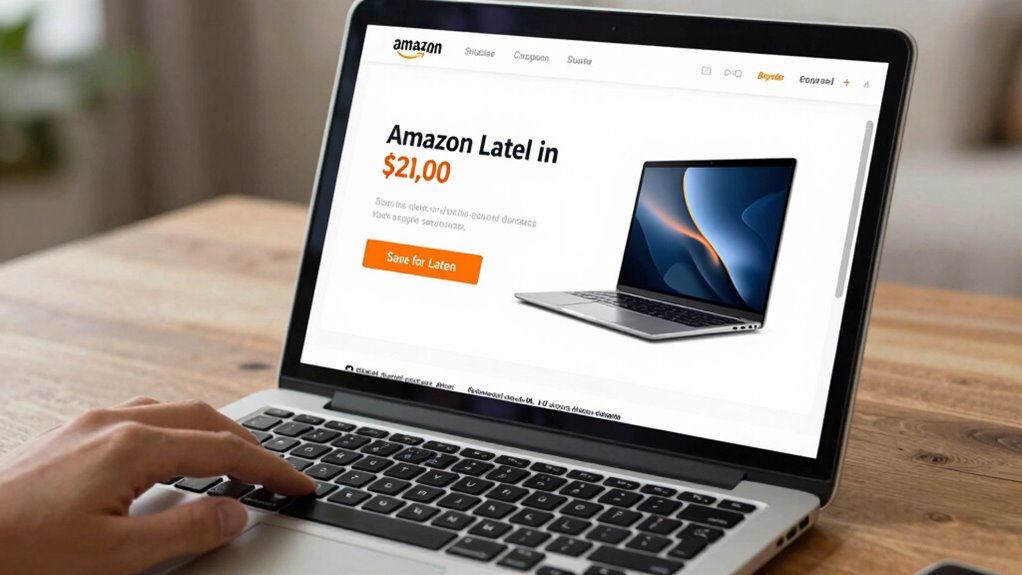
If you find a great deal on Amazon but aren’t ready to check out yet, don’t worry—there are simple ways to save it for later. One of the best strategies is to use Amazon’s Wishlist feature. When you spot a deal that catches your eye, add the item to your wishlist instead of immediately purchasing it. This way, you keep track of the product without rushing into a purchase. Plus, Amazon often updates the prices of wishlist items, so you can monitor fluctuations over time. Managing your wishlist regularly helps you stay organized and ensures you don’t forget about promising deals.
Another effective method is to perform a price comparison. Before deciding to buy, check other online retailers or price comparison tools to make sure you’re getting the best deal. Sometimes, Amazon offers competitive prices, but other times, a different site might have a better deal or additional perks like free shipping. By comparing prices, you make informed decisions and avoid overpaying. If you find that a deal on Amazon is better than elsewhere, you can decide to hold off on purchasing until the price drops further or the deal expires.
Perform price comparisons to ensure you’re getting the best deal and avoid overpaying.
Additionally, you can take advantage of Amazon’s “Save for Later” feature. When browsing your cart, move the item to the “Save for Later” list instead of removing it entirely. This keeps the deal accessible and visible for when you’re ready to buy. Amazon sometimes adjusts prices on saved items, so checking this list periodically helps you catch price drops or limited-time deals. It’s a quick way to keep track without needing to create a separate list or spreadsheet. Incorporating a conscious shopping approach can help you avoid impulsive buys and focus on truly valuable deals.
If you’re keeping an eye on the deal, consider setting up price alerts through third-party websites or browser extensions. These tools notify you when prices drop on specific items, allowing you to act at the perfect moment. This way, you don’t have to constantly check the product manually. It’s a smart way to stay on top of deals without feeling pressured to buy immediately.
Lastly, always review your purchase plans. Sometimes, a deal might seem too good to pass up but isn’t necessary. Using Wishlist management and price comparison helps you make smarter choices. By keeping tabs on prices and organizing your potential buys, you ensure you’re saving money without rushing into a purchase. These strategies give you control over your shopping, letting you wait for the ideal price without losing track of great deals.
A new approach to managing online shopping involves understanding how to leverage various features like Wishlist and Save for Later to maximize savings and decision-making.
As an affiliate, we earn on qualifying purchases.
Frequently Asked Questions
Can I Save Amazon Deals on the Mobile App?
Yes, you can save Amazon deals on the mobile app. You can add items to your wishlist or use the “save for later” feature to keep deals handy. For better deal management, set up deal notification settings so you’re alerted to price drops or discounts. Conduct price comparisons within the app to make sure you’re getting the best deal, and easily access saved deals later without checking out immediately.
Do Saved Deals Expire After a Certain Time?
Saved Amazon deals generally don’t expire immediately, but deal expiration can occur if the seller removes the offer or it’s time-limited. You might find deals are subject to deal expiration, but some get renewed or refreshed by sellers, extending their availability. To avoid missing out, check the deal’s details regularly, as deal renewal can happen, giving you more time to decide. Always stay updated to maximize your savings.
Are There Browser Extensions to Track Amazon Deals?
Yes, there are browser extensions that help you track Amazon deals. These tools often include features like price history graphs and deal comparison options, so you can see how prices fluctuate over time and compare similar deals easily. By using these extensions, you guarantee you’re getting the best value. They also notify you of price drops, making it easier to decide when to buy without missing out on great deals.
How Do Amazon’s Deal Alerts Work?
You wonder how Amazon’s deal alerts work, right? They send personalized deal alerts based on your browsing and purchase history, keeping you in the loop for exclusive discounts. These alerts are tailored to your preferences, so you never miss out. By analyzing your Amazon deal history, Amazon predicts what you’ll love next. Stay alert, because these notifications can lead you to incredible deals just waiting for you to discover.
Can I Share Saved Deals With Others?
Yes, you can share saved deals with others for savings collaboration. Amazon doesn’t have a built-in feature for direct deal sharing, but you can easily send links or screenshots of your saved deals via email or messaging apps. This way, you and your friends or family can work together to find the best deals, maximize savings, and coordinate your shopping efforts effectively. Sharing these deals helps everyone benefit from your savvy shopping skills.
Conclusion
Saving Amazon deals for later is a smart way to shop without rushing. Did you know that 60% of shoppers add items to their cart with no immediate intention to buy? By using wish lists or saving items, you can keep track of deals and buy when you’re ready. So, next time you find a deal that catches your eye, save it. That way, you won’t miss out—your perfect purchase is just a click away.
Halloween Picks
halloween
As an affiliate, we earn on qualifying purchases.