TL;DR

Get your next haul delivered free with Prime
- Fast, free delivery on millions of items
- Prime Video, Amazon Music and more included
- Member-only deals all year
Smart home devices connect household equipment to the internet or a local network so you can monitor, control, or automate it. Start with one useful problem, such as a dark hallway or a possible leak, then check compatibility, offline behavior, security updates, and subscription costs before choosing a product.
Your hallway light can switch on before you reach the stairs, but a smart bulb won’t help much if it refuses to work with the app you already use. That small gap between a clever feature and a useful one is where many smart-home purchases go right—or wrong.
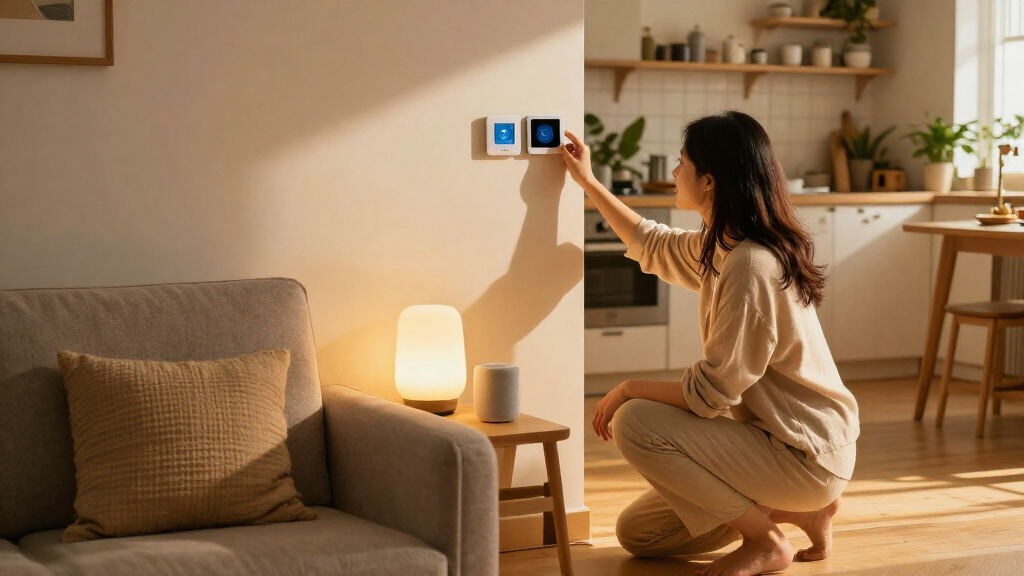
Smart home devices connect household equipment to the internet or a local network so you can monitor, control, or automate it. They range from bulbs, plugs, and leak sensors to thermostats, locks, speakers, and cameras. Some respond to a phone tap; others follow a schedule or react to movement.
This guide explains what these devices can do, how to avoid compatibility and privacy headaches, and what to check before you spend. You’ll also see where automation, local control, and subscription costs matter in an ordinary home—not just in a glossy product demo.
Start with one specific household problem, such as a dark entryway or a possible water leak.
Check the exact model’s platform, hub, and feature compatibility; a Matter label does not promise every feature everywhere.
Ask which functions work on the local network and what stops when internet access fails.
Review data collection, update support, multifactor authentication, and recording controls before setup.
Compare the full cost over several years, including hubs, batteries, installation, and subscriptions.
What smart home devices can do in an ordinary home
Smart home devices are connected household products that let you monitor, control, or automate equipment through an app, voice assistant, schedule, or rule. A smart plug, for example, can switch a compatible lamp on from your phone; a motion sensor can trigger a hallway light without anyone touching a switch.
The everyday payoff often comes from automation, not remote control. If you leave for work at 8 a.m., a thermostat can follow an away schedule, while a motion sensor turns on a dim light when you come home after dark. Instead of opening three apps, you set a routine once and let the devices handle it.
Common options include smart bulbs and plugs, thermostats, cameras, locks, speakers, and leak sensors. They range from simple, inexpensive add-ons to products that need a hub, installation, or paid cloud service. A leak sensor under a kitchen sink may sit quietly for months, then send an alert when a pipe drips; that is less flashy than a color-changing bulb, but the warning can be genuinely useful.
Think of automation like a small stage crew: sensors notice what’s happening, rules decide what to do, and connected equipment carries it out. Start with one repeated annoyance. If you always walk into a dark entryway with grocery bags in both hands, a motion-triggered light may solve a real problem better than a whole-home setup.
Popular right now

KitchenAid Classic Series 4.5-Quart Tilt-Head Stand Mixer, Onyx Black

Ninja Crispi Microwave & Air Fryer with FusionCrisp Technology, 14-in-1, Black (MW101BK1)
Vitamix 5200 Blender with 64 oz. Container, Black
As an affiliate, we earn on qualifying purchases.
Choose a first device that fixes one real annoyance
Smart home devices are easiest to live with when you buy one to solve a specific problem, rather than assembling a collection because the boxes look impressive. Pick a frequent frustration—lights left on, a chilly bedroom, or uncertainty about a leak—and choose a product that addresses it with little extra work.
A smart bulb suits a lamp you want to control by voice or schedule, while a smart plug can add basic control to a compatible lamp or small appliance. A leak sensor makes sense under a sink or beside a washing machine, where a quick alert may help you catch water before it spreads across the floor. A thermostat can be useful if your household has predictable routines, though savings depend on the home, climate, and settings.
Use this short sequence before you buy:
- Name the problem. For example, “I want the porch light on at sunset,” not “I need a smarter house.”
- Check the exact model’s compatibility. Look for support for your preferred platform, app, voice assistant, and any required hub.
- Read what happens offline. Find out whether the device keeps basic controls if the internet connection drops.
- Add up the full cost. Include a hub, installation, batteries, and any subscription you might need.
Imagine Maya wants a safer route from the bedroom to the bathroom at night. A motion sensor and a low-brightness light can solve that single problem; buying cameras, locks, and a thermostat at the same time adds setup chores without helping her sleep. Start small, then expand only when you know what you’d like the next device to do.
Check compatibility before mixing brands
Smart home devices work together only when their communication standards, platforms, and supported features line up. A device may pair with one app or voice assistant and still lack a feature you expected in another, so check the exact product model rather than trusting a broad “works with” badge.
Matter is a connectivity standard backed by major technology companies, designed to help compatible devices work across participating ecosystems. It can make setup and cross-platform use easier, but a Matter label does not promise every feature on every platform. The product, software, and controller still shape what you can do.
Here’s a practical comparison:
| What to check | Why it matters | Example |
|---|---|---|
| Platform support | The device needs to work with the app or assistant you use. | Confirm a bulb supports your chosen home platform before purchase. |
| Connection method | Some products use Wi-Fi; others need a hub or controller. | A sensor may require a separate hub even if your phone uses Wi-Fi. |
| Feature support | Basic control may work while advanced routines do not. | A lock may pair, but a particular alert or automation may be unavailable. |
| Updates and ecosystem | Software support affects how long the product stays useful. | Check the manufacturer’s update policy and app requirements. |
Before buying, write down the name of your current platform and check the product’s official compatibility page. If you already use a voice assistant in the kitchen, choosing a compatible plug can keep setup simple; if your family uses different phone platforms, Matter support may be helpful, but verify the specific functions each person needs.
Protect your privacy and accounts without making setup a project
Smart home devices can collect account details, usage patterns, and, depending on the product, audio or video. You can reduce avoidable exposure by checking what a device records, how long it keeps data, whether you can store sensitive data locally, and how the company handles security updates.
Start with the basics: use a strong, unique password for the account and turn on multifactor authentication when available. Install software updates, and choose a manufacturer that clearly describes its update support. These steps won’t make any connected product risk-free, but they lower the chance that one reused password or neglected update creates an easy opening.
Privacy settings deserve a look before you mount a camera or place a voice assistant in a shared room. For example, a household might use a camera only at the front door, set a clear recording schedule, and use a physical shutter indoors. For a smart speaker, check how wake-word controls and saved recordings work rather than assuming every model handles them the same way.
Ask four questions before setup:
- What information does the device collect, and how long does the company keep it?
- Can you disable recording, use a mute switch, or store video locally?
- Does the account support multifactor authentication?
- How can you remove access and delete your data if you sell the device?
Also secure the home Wi-Fi network with a strong router password and current software. A connected camera is a window into your home; treat its account like a key, not a throwaway app login.
Know what still works when your internet goes down
Some smart home devices keep basic functions working on your local network when internet access fails, while others depend on a cloud service for control, automation, or voice features. The difference matters on a stormy evening when your broadband drops but you still want the lights to work.
A local network is the connection among devices inside your home; the internet links that home to outside services. A product may still respond to a nearby controller on the local network even when the household internet is unavailable, but not every product supports that behavior. Check the manufacturer’s offline details before you rely on a device for an important task.
For instance, a smart bulb may still work from its wall switch during an outage, yet a phone app or voice command may stop responding. A camera might keep recording to local storage—or it might lose recording and remote viewing if its service is unavailable. These are different outcomes, so “works without Wi-Fi” is not a complete answer; ask whether the product needs Wi-Fi, internet access, a hub, or all three.
When you compare products, look for local control, hub requirements, and the specific functions that remain available offline. If a device controls a lock, heating, or security alert, keep a dependable manual option too. Smart features should make the ordinary control easier, not leave you stuck outside because a router blinked red.
Calculate the real cost before subscriptions and extras add up
The purchase price is only part of the cost of smart home devices. You may also pay for a hub, installation, replacement batteries, or a monthly plan for video storage and advanced alerts, so compare the total over the years you expect to use the product.
Consider a camera advertised at a low upfront price. If you need a monthly subscription to review recordings, the long-term bill may matter more than the sale price; if you only want live viewing, a different model or local-storage option may fit better. Read the feature list carefully, because “smart notifications” and saved clips can sit behind different plans.
Energy devices also deserve realistic expectations. A smart thermostat or energy monitor can show usage and help you adjust schedules, but savings depend on your home, climate, settings, and household habits. A family that keeps the thermostat steady all day may see a different result from someone who regularly heats an empty house.
Before checkout, write down the first-year cost and the likely cost over three years. Include the device, required hub, subscription, batteries, and installation. Then ask whether the benefit is worth that total: a leak sensor may justify its modest price if it gives you early warning, while a recurring camera plan may not suit you if you rarely need recorded footage.
Use automation to make routines easier, not more complicated
Automation is most useful when a device responds to a clear cue and performs a small task you would otherwise repeat. A schedule, motion sensor, or temperature reading can trigger an action, such as switching on a lamp at sunset or adjusting a thermostat when the house is empty.
Try one routine at a time and keep the rule easy to explain. For example: “When the hallway sensor detects motion after 10 p.m., turn on the light at 20 percent brightness.” That is easier to test than a chain of five conditions involving time, location, weather, and several rooms.
Some products use occupancy, temperature, or other information to adapt their behavior. Marketing may call these features “AI,” but the useful question is concrete: What does the device sense, what action does it take, and can you change the rule? A thermostat that learns a household schedule may help one family; another may prefer a simple weekday timer they can understand at a glance.
Try a routine for a week before adding more rules. If the porch light switches on too early, adjust the schedule; if a motion sensor wakes a sleeping child, lower its brightness or change its location. Automation should feel like a quiet helper, not a mischievous housemate flicking switches without explanation.
Frequently Asked Questions
Do I need a smart-home hub?
Not always. Some devices connect directly to Wi-Fi, while others need a hub or controller for setup, coordination, or local features. Check the exact model’s requirements before buying; a sensor that needs a separate hub can cost more than its shelf price suggests.
Do smart home devices work without Wi-Fi or internet?
It depends on the device and on what you mean by “without Wi-Fi.” Some products can work through your local network without internet access, while others lose app control, automation, or voice features. Check which basic functions remain available during an outage, and keep a manual option for important tasks.
Is Matter the same as Wi-Fi?
No. Matter is a standard for device communication and setup, while Wi-Fi is one way devices can connect; Matter can also use technologies such as Thread. Matter can improve compatibility among supported products, but it does not guarantee every feature or remove all hub and controller requirements.
Are smart home devices secure?
No connected product is risk-free, and security varies by manufacturer and setup. Choose products with a clear update policy, use a strong unique password, enable multifactor authentication, and review what data the device collects. For cameras and speakers, check the mute, shutter, recording, and data deletion options.
What should I buy first?
Choose the product that fixes a clear, recurring problem. A smart bulb can help with scheduled lighting, a compatible smart plug can control a lamp, and a leak sensor can send an early warning under a sink. Confirm platform compatibility and any subscription or hub costs before you order.
Conclusion
Choose smart home devices by the problem they solve, not by how futuristic they look on a shelf. Check compatibility, privacy, offline behavior, and the full price before you bring one home, then test a single routine until it feels natural.
A good smart home doesn’t need to announce itself. It’s the hallway light glowing softly under your feet, right when you need it.