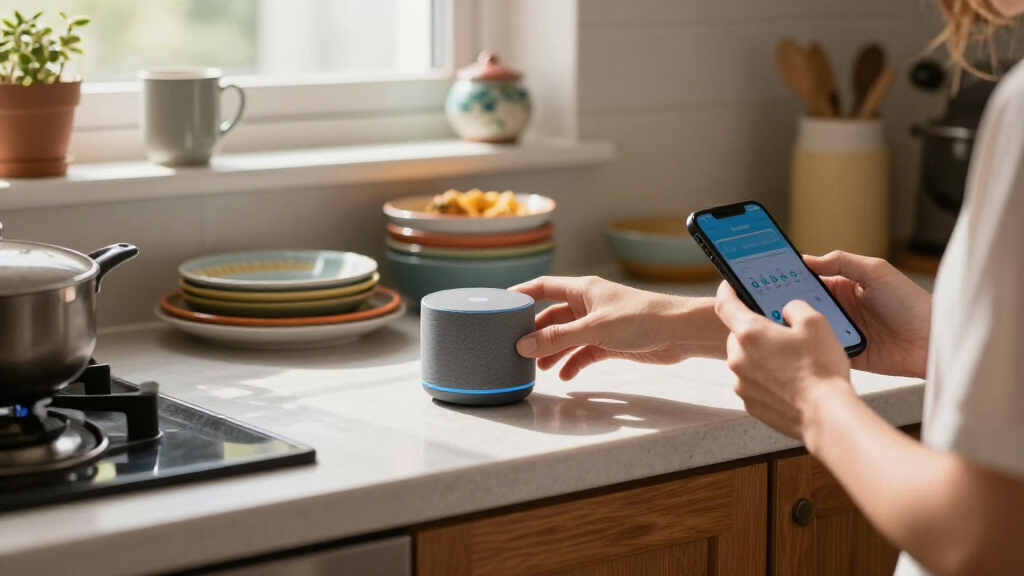

Amazon’s device lineup has grown crowded, and the deals make it easy to overspend on hardware you don’t need. After comparing prices against capability across 11 current Amazon devices, the Echo Show 11 stands out as the best overall deal because it combines a Full-HD smart display, spatial audio, and the newer Alexa+ experience at a mid-tier price. If you mainly want streaming, the Fire TV Stick 4K Max delivers Wi-Fi 6E and hands-free Alexa for far less than the Fire TV Cube, while budget shoppers get genuine value from the 5th-generation Echo Dot. The core tradeoff in this category is screen-versus-speaker-versus-streamer: the more a device tries to do, the more you pay for features you may never touch. Read on for the full breakdown of which deal fits which household.

Get your next haul delivered free with Prime
- Fast, free delivery on millions of items
- Prime Video, Amazon Music and more included
- Member-only deals all year
Key Takeaways
- The Echo Show 11 won best overall because Alexa+ support plus a Full-HD screen future-proofs it better than the cheaper Echo Show 5, whose small display limits what the AI assistant can actually show you.
- Three of the eleven products are Fire TV Sticks, and the price gaps between them are small — the 4K Max is the only one earning a top recommendation because Wi-Fi 6E and Alexa+ justify the premium over the Select and Plus models.
- The Echo Dot Max is the best pure-audio deal in the lineup, offering nearly 3x the bass of the standard 5th-gen Dot for shoppers who want music first and smart-home control second.
- Two identical Echo Dot 5th Gen units appear in different colors at different street prices — the lesson being that color choice, not specs, drove which one ranked higher as the best budget pick.
- The Echo Spot occupies a narrow niche: it loses to the Dot on music and to the Show 5 on screen size, so it only makes sense as a dedicated bedside or desk clock rather than a general assistant.
| Amazon Echo Show 11 (2025 Model) |  | Best Overall Smart Display | Display: 11-inch Full-HD touchscreen | Viewing Area: 60% more than Echo Show 8 | Processor: AZ3 Pro chip | VIEW LATEST PRICE | See Our Full Breakdown |
| Amazon Fire TV Cube |  | Best Premium Streaming Hub | Processor: Octa-core | Resolution: 4K Ultra HD | Wi-Fi: Wi-Fi 6E | VIEW LATEST PRICE | See Our Full Breakdown |
| Amazon Echo Show 15 (Newest Model) |  | Best for Family Command Centers | Display: 15.6″ Full HD (1920 x 1080) | Dimensions: 16.1″ W x 10.1″ H x 1.4″ D | Weight: 4.96 lbs | VIEW LATEST PRICE | See Our Full Breakdown |
| Echo Show 5 (3rd Gen) Adjustable Stand |  | Best Budget Accessory Upgrade | Compatibility: Echo Show 5 (3rd Gen) only | Color: Charcoal | Charging Port: USB-C, 7.5W | VIEW LATEST PRICE | See Our Full Breakdown |
| Fire TV Stick 4K Max (2nd Gen) |  | Best Value Streaming Pick | Resolution: Up to 2160p at 60 fps | Processor: Quad-core 2.0GHz | Storage: 16GB | VIEW LATEST PRICE | See Our Full Breakdown |
| Amazon Fire TV Stick 4K Select (Newest Model) |  | Best Budget 4K Streaming | Resolution: 4K Ultra HD (2160p) up to 60 fps | HDR Support: HDR10, HDR10+, HLG | Processor: Quad-core 1.7 GHz | VIEW LATEST PRICE | See Our Full Breakdown |
| Amazon Echo Spot (Newest Model) |  | Best Smart Alarm Clock | Display: 2.83″ touch screen (240x320px) | Speaker: 1.73″ full-range driver | Wi-Fi: Dual-band 802.11a/b/g/n/ac | VIEW LATEST PRICE | See Our Full Breakdown |
| Amazon Echo Dot (5th Gen) – Deep Sea Blue |  | Best Value Smart Speaker | Audio: 1.6″ full-range driver, 62 Hz – 19 kHz | Wi-Fi: Dual-band 802.11a/b/g/n/ac | eero Built-in: Up to 1,000 sq. ft., speeds up to 100 Mbps | VIEW LATEST PRICE | See Our Full Breakdown |
| Amazon Fire TV Stick 4K Plus (Newest Model) |  | Best Streaming Upgrade | Resolution: 4K Ultra HD | HDR Support: Dolby Vision, HDR10+ | Audio: Dolby Atmos | VIEW LATEST PRICE | See Our Full Breakdown |
| Echo Dot Max (Newest Model), Graphite |  | Best Premium Smart Speaker | Audio: 1x 0.8″ tweeter, 1x 2.5″ woofer, 53 Hz – 16 kHz | Connectivity: Wi-Fi 6E, Bluetooth Low Energy 5.3 | Smart Home Hub: Zigbee, Matter, Thread Border Router | VIEW LATEST PRICE | See Our Full Breakdown |
| Amazon Echo Dot (5th Gen) – Charcoal |  | Best Budget Entry Point to Alexa | Size: 3.9″ x 3.9″ x 3.5″ (100mm x 100mm x 89mm) | Weight: 10.7 oz (304g) | Audio: 1.6″ full range driver, 62 Hz – 19 kHz bandwidth | VIEW LATEST PRICE | See Our Full Breakdown |
| Amazon device deal | Audio | Wi-Fi |
|---|---|---|
| Amazon Echo Show 11 | Spatial audio with up to 2x bass | — |
| Amazon Fire TV Cube | Dolby Atmos | Wi-Fi 6E |
| Amazon Echo Show 15 | Two 2" woofers + two 0.6" tweeters | Wi-Fi 6E tri-band, dual-antenna |
| Echo Show 5 | — | — |
| Fire TV Stick 4K Max | Dolby Atmos, 7.1 surround | Wi-Fi 6E tri-band |
| Amazon Fire TV Stick 4K Select | — | Dual-band, dual-antenna (MIMO) |
| Amazon Echo Spot | — | Dual-band 802.11a/b/g/n/ac |
| Amazon Echo Dot | 1.6" full-range driver, 62 Hz – 19 kHz | Dual-band 802.11a/b/g/n/ac |
| Amazon Fire TV Stick 4K Plus | Dolby Atmos | Wi-Fi 6 |
| Echo Dot Max | 1x 0.8" tweeter, 1x 2.5" woofer, 53 Hz – 16 kHz | — |
| Amazon Echo Dot | 1.6" full range driver, 62 Hz – 19 kHz bandwidth | Dual-band 802.11a/b/g/n/ac (2.4 and 5 GHz) |
More Details on Our Top Picks
Amazon Echo Show 11 (2025 Model)
The Echo Show 11 hits the sweet spot between size, capability, and price that most buyers actually want. Its 11-inch Full-HD screen offers 60% more viewing area than the Echo Show 8, making recipes, video calls, and security camera feeds genuinely readable from across a room — something smaller displays struggle with. The AZ3 Pro chip keeps Alexa+ responses quick, and the built-in smart home hub means you can skip buying a separate bridge for Zigbee and Matter devices. Compared to the Echo Show 15, it costs less while keeping nearly all the same functionality; the 15 mainly wins on wall-mountable family-command-center ambitions. The tradeoff is honest: this is a premium device, and if you only want a bedside alarm, the Echo Spot does that job for far less.
Pros:- Large Full-HD display readable from across a room
- Built-in smart home hub eliminates separate bridges
- Spatial audio with 2x bass beats smaller Echo Shows for music
- Auto-framing camera with 3.3x zoom improves video calls
Cons:- Premium price compared to smaller Echo Show models
- Full hub and Omnisense features require compatible smart devices
- Setup can feel involved for smart home newcomers
Best for: Smart home owners who want a single command center for video calls, routines, and hub duties without paying Echo Show 15 prices
Not ideal for: Buyers on tight budgets or anyone who only needs voice — the Echo Dot 5th Gen covers basics at a fraction of the cost
- Display:11-inch Full-HD touchscreen
- Viewing Area:60% more than Echo Show 8
- Processor:AZ3 Pro chip
- Audio:Spatial audio with up to 2x bass
- Camera:Centered auto-framing with 3.3x zoom
- Smart Home Hub:Built-in
- Privacy:Mic and camera disable buttons
Our verdict“If you’re buying one smart display to anchor your home, this is the one — but casual users can happily downsize to an Echo Show 5 or Echo Spot.”
Amazon Fire TV Cube
The Fire TV Cube earns its spot as the most powerful streaming device in this lineup, thanks to an octa-core processor that leaves every stick model — including the Fire TV Stick 4K Max — noticeably behind on app launches and menu navigation. Its real differentiator is hands-free Alexa built directly into the box: no remote needed to pause, search, or control lights, because it has its own microphones and speaker. Where the Stick 4K Max hides behind your TV, the Cube sits visibly and listens continuously — a genuine tradeoff for privacy-minded buyers, even with the mic-off button. Wi-Fi 6E support keeps 4K Dolby Vision streams smooth on congested networks. This pick makes the most sense for entertainment-first households; anyone just wanting 4K Netflix should save money with a stick.
Pros:- Octa-core processor is the fastest in the Fire TV lineup
- True hands-free Alexa with built-in mic and speaker
- Dolby Vision, HDR, and Dolby Atmos support
- Doubles as a smart home control point
Cons:- Notably pricier than streaming sticks with similar picture quality
- Always-on microphones won’t suit privacy-conscious households
- Setup and placement are less flexible than a stick
Best for: Home theater enthusiasts who want the fastest Fire TV experience and always-listening Alexa without reaching for a remote
Not ideal for: Budget streamers and privacy-sensitive buyers — the Stick 4K Max delivers similar picture quality for less, without an always-on mic
- Processor:Octa-core
- Resolution:4K Ultra HD
- Wi-Fi:Wi-Fi 6E
- HDR:Dolby Vision, HDR
- Audio:Dolby Atmos
- Voice Control:Hands-free Alexa with built-in mic and speakers
- Privacy:Microphone off button
Our verdict“Buy it for speed and hands-free control; skip it if a cheaper stick covers your streaming needs.”
Amazon Echo Show 15 (Newest Model)
The Echo Show 15 is less a gadget and more a household appliance — a 15.6-inch Full-HD panel meant to be mounted on a kitchen wall as the family’s shared brain. Customizable widgets handle calendars, shopping lists, and chore charts at a scale the Echo Show 11 simply can’t match, and built-in Fire TV turns it into a kitchen television without buying a separate streaming stick. Its smart home hub covers Zigbee, Matter, and Thread, the widest protocol support here. The compromises are real, though: at nearly five pounds and over 16 inches wide, it dominates whatever space it occupies, and audio from its four drivers is adequate rather than impressive. Unlike the Echo Show 11, this is a communal device, not a personal one — it belongs where everyone can reach it.
Pros:- Biggest display in the lineup, ideal for widgets at a glance
- Built-in Fire TV means no separate streaming device needed
- Broadest smart home hub support: Zigbee, Matter, and Thread
- Physical camera shutter plus mic/camera off button
Cons:- Large and heavy — realistically requires wall mounting
- Highest price in this lineup
- Speaker quality lags its screen quality
Best for: Busy families who want a wall-mounted shared hub for schedules, lists, smart home control, and kitchen streaming
Not ideal for: Dorm rooms, desks, or nightstands — the sheer size overwhelms small spaces where an Echo Show 5 or Echo Spot fits better
- Display:15.6″ Full HD (1920 x 1080)
- Dimensions:16.1″ W x 10.1″ H x 1.4″ D
- Weight:4.96 lbs
- Camera:13 MP with physical shutter
- Audio:Two 2″ woofers + two 0.6″ tweeters
- Wi-Fi:Wi-Fi 6E tri-band, dual-antenna
- Smart Home Hub:Zigbee, Matter, Thread
Our verdict“The right pick only if your household will actually use a shared wall display; solo users get more value from the Echo Show 11.”
Echo Show 5 (3rd Gen) Adjustable Stand
This is the only accessory in the roundup, and it earns its place by fixing the Echo Show 5’s most common complaint: a fixed viewing angle that’s wrong for anything but a straight-on desk. The adjustable tilt makes glanceable clock faces and camera angles workable on nightstands and counters, and the built-in 7.5W USB-C port quietly eliminates a charging cable from your bedside clutter — a small convenience that compounds daily. The magnetic attachment is secure on flat surfaces, and the 44% recycled materials construction is a genuine sustainability point. The obvious limitation: it works with exactly one device, the Echo Show 5 3rd Gen, and the speaker itself isn’t included. Compared to buying a full Echo Show 11, this is a cheap way to make an existing device feel newly useful rather than replacing it.
Pros:- Adjustable tilt dramatically improves usability on nightstands
- Convenient 7.5W USB-C charging port for phones or earbuds
- Made with 44% recycled materials
- Magnetic attachment matches the device’s design
Cons:- Strictly limited to the Echo Show 5 3rd Gen
- Device and cable sold separately, adding to total cost
Best for: Echo Show 5 (3rd Gen) owners who want better viewing angles and a spot to charge their phone overnight
Not ideal for: Anyone without an Echo Show 5 3rd Gen — it’s incompatible with every other Echo model, including earlier Show 5 generations
- Compatibility:Echo Show 5 (3rd Gen) only
- Color:Charcoal
- Charging Port:USB-C, 7.5W
- Attachment:Magnetic
- Material:44% recycled materials
Our verdict“A worthwhile $-class upgrade if you already own the matching Show 5; meaningless for everyone else.”
Fire TV Stick 4K Max (2nd Gen)
The Stick 4K Max is where price and performance meet for most streamers. It delivers the same 4K Dolby Vision and Dolby Atmos output as the pricier Fire TV Cube, but in a stick that hides behind your TV for a fraction of the cost. Wi-Fi 6E tri-band support keeps streams stable even on busy home networks, and the Alexa Voice Remote Enhanced adds IR control, so it can replace your TV and soundbar remotes too. Cloud gaming through Xbox Game Pass is a surprising bonus for casual gamers. The compromises are predictable: it lacks the Cube’s hands-free Alexa and octa-core speed, and you’ll need a 4K TV to get your money’s worth — on a 1080p set, the cheaper standard Fire TV Stick 4K models make more sense. Compared to the Echo Show line, this is purely an entertainment play with no screen or hub ambitions.
Pros:- Full 4K Dolby Vision, HDR10+, and Dolby Atmos support at a mid-tier price
- Wi-Fi 6E tri-band keeps streaming stable on congested networks
- Remote includes IR control for TVs and soundbars
- Xbox Game Pass cloud gaming support
Cons:- Requires a 4K TV to justify the upgrade over cheaper sticks
- No hands-free Alexa — the remote is mandatory
- Best features need additional subscriptions
Best for: Value-focused buyers with 4K TVs who want premium streaming quality without paying Cube prices
Not ideal for: Owners of 1080p-only TVs or households wanting hands-free voice — a standard stick or the Cube serves each better
- Resolution:Up to 2160p at 60 fps
- Processor:Quad-core 2.0GHz
- Storage:16GB
- Wi-Fi:Wi-Fi 6E tri-band
- HDR Formats:Dolby Vision, HDR10, HDR10+, HLG
- Audio:Dolby Atmos, 7.1 surround
- Remote:Alexa Voice Remote Enhanced with IR
Our verdict“The smartest streaming value for 4K TV owners — buy it unless hands-free Alexa is worth the Cube’s premium.”
Amazon Fire TV Stick 4K Select (Newest Model)
This is the pick that makes 4K streaming affordable without asking buyers to pay for extras they may never use. Compared with the Fire TV Stick 4K Plus, the Select skips Dolby Vision, Dolby Atmos, and Wi-Fi 6 — but it still delivers HDR10+ picture quality and the same Alexa Voice Remote, which covers what most streamers actually watch day to day. Where the Plus justifies its premium through smoother streaming on crowded home networks, the Select’s older dual-band Wi-Fi can stutter if several devices compete for bandwidth. The Xbox Game Pass streaming support is a nice bonus at this price. Buyers with a basic 4K TV and modest internet needs get the best value here; home theater enthusiasts should step up.
Pros:- 4K Ultra HD with HDR10+ at a budget-friendly price
- Alexa Voice Remote included for search and smart home control
- Compact design with simple setup on nearly any HD or 4K TV
- Streams Xbox Game Pass titles without a console
Cons:- No Dolby Vision or Dolby Atmos support
- Older dual-band Wi-Fi struggles on congested networks
- Requires an HDCP 2.2-compatible TV for 4K content
Best for: Budget-conscious streamers who want 4K HDR picture quality on a basic TV without paying premium prices
Not ideal for: Home theater enthusiasts with Dolby Vision TVs or busy Wi-Fi networks — the 4K Plus or 4K Max better suits them
- Resolution:4K Ultra HD (2160p) up to 60 fps
- HDR Support:HDR10, HDR10+, HLG
- Processor:Quad-core 1.7 GHz
- Wi-Fi:Dual-band, dual-antenna (MIMO)
- Storage:8 GB
- Size:3.9″ x 1.2″ x 0.6″, 1.5 oz
- Warranty:90 days
Our verdict“The right choice for value-focused buyers who want solid 4K streaming and can live without premium HDR formats.”
Amazon Echo Spot (Newest Model)
The Echo Spot carves out a niche neither the Echo Dot nor the Echo Show 5 fully occupies: a bedside-first smart device with a screen built for glanceable information. Unlike the Dot (5th Gen), the Spot’s 2.83″ circular display shows customizable clock faces, weather, and song info — though the smaller screen limits it compared with the Echo Show 5’s larger panel for video content. What sets it apart in this lineup is the built-in eero mesh extender, which adds up to 1,000 sq. ft. of Wi-Fi coverage from a nightstand device. The single 1.73″ speaker is fine for alarms and podcasts but won’t fill a room. Buyers wanting a capable audio device should look at the Dot or Dot Max instead.
Pros:- Customizable circular display with clock faces and colors
- Doubles as an eero mesh Wi-Fi extender covering up to 1,000 sq. ft.
- No camera makes it naturally privacy-friendly for bedrooms
- Built with 36% recycled materials
Cons:- Small speaker unsuitable for room-filling audio
- Wi-Fi extender requires a compatible eero router
- Compact screen limits video and detailed content viewing
Best for: Bedside or desk users who want a visual alarm clock with Alexa and a bonus Wi-Fi coverage boost
Not ideal for: Music-focused buyers or anyone wanting video calls — the speaker is modest and there’s no camera
- Display:2.83″ touch screen (240x320px)
- Speaker:1.73″ full-range driver
- Wi-Fi:Dual-band 802.11a/b/g/n/ac
- eero Built-in:Up to 1,000 sq. ft. coverage
- Camera:None
- Size and Weight:4.5″W x 4.1″D x 4.4″H, 14.3 oz
Our verdict“The Spot earns its spot for nightstand duty where the display matters more than the sound.”
Amazon Echo Dot (5th Gen) – Deep Sea Blue
For most households dipping a toe into Alexa, this is the default recommendation — it nails the balance of price, sound, and capability that the Echo Spot and Echo Dot Max bracket from either side. The 5th Gen sounds noticeably fuller than earlier Dots thanks to a larger 1.6″ driver, though the Dot Max’s dedicated woofer clearly outclasses it for bass-heavy listening. Unlike the Spot, there’s no display, but the Dot adds motion and temperature sensors that enable automations like lights that respond when you walk in. The eero Built-in extender matches the Spot’s 1,000 sq. ft. coverage claim. It’s the unit to buy in multiples for multi-room audio without overspending.
Pros:- Genuinely vibrant sound for a speaker this size
- Motion and temperature sensors enable smart home automations
- eero Built-in extends mesh Wi-Fi up to 1,000 sq. ft.
- Supports Matter and multi-room pairing with other Echo devices
Cons:- Bass and volume limits compared with the Echo Dot Max
- Wi-Fi extender feature only works with a compatible eero router
- Doesn’t support Bluetooth speakers requiring PIN codes
Best for: First-time Alexa buyers and multi-room audio builders who want reliable smart speaker performance per dollar
Not ideal for: Audiophiles or buyers replacing a stereo system — the compact driver can’t deliver deep bass or high volume
- Audio:1.6″ full-range driver, 62 Hz – 19 kHz
- Wi-Fi:Dual-band 802.11a/b/g/n/ac
- eero Built-in:Up to 1,000 sq. ft., speeds up to 100 Mbps
- Smart Home:Wi-Fi, Bluetooth Low Energy, Matter
- Privacy:Mic off button, multiple privacy controls
- Size and Weight:3.9″ x 3.9″ x 3.5″, 10.7 oz
Our verdict“Buy this if you want the most Alexa capability per dollar; upgrade to the Dot Max only if music quality drives the decision.”
Amazon Fire TV Stick 4K Plus (Newest Model)
Sitting between the budget 4K Select and the flagship Fire TV Stick 4K Max, the 4K Plus is the sweet spot for serious streamers. The jump from the Select matters most in two places: Dolby Vision and Dolby Atmos support, which bring cinema-grade HDR and object-based audio to compatible TVs and soundbars, and Wi-Fi 6, which holds streaming steady when phones, laptops, and consoles share the network. The 4K Max adds Wi-Fi 6E and a faster processor, but that advantage only pays off on newer routers — making the Plus the smarter spend for most homes. Preset remote buttons for popular services reduce remote-hunting friction. The tradeoff is subscription creep: the hardware shines only if you pay for the services that feed it 4K content.
Pros:- Dolby Vision, HDR10+, and Dolby Atmos for cinematic playback
- Wi-Fi 6 keeps streams smooth on crowded networks
- Preset app buttons and Alexa Voice Remote speed up navigation
- Streams Xbox cloud games without a console
Cons:- Premium features are wasted without a Dolby Vision TV and Atmos soundbar
- Subscription fees required for most 4K content
Best for: Streamers with Dolby Vision TVs and busy home networks who want flagship features at a mid-tier price
Not ideal for: Casual viewers with 1080p TVs or basic streaming habits — the cheaper 4K Select covers their needs
- Resolution:4K Ultra HD
- HDR Support:Dolby Vision, HDR10+
- Audio:Dolby Atmos
- Wi-Fi:Wi-Fi 6
- Remote:Alexa Voice Remote with preset buttons
- Gaming:Xbox cloud game streaming
Our verdict“The best streaming value for mid-range home setups that can actually use Dolby Vision and Wi-Fi 6.”
Echo Dot Max (Newest Model), Graphite
The Echo Dot Max is what happens when Amazon takes the Dot formula and stops compromising on audio and hub features. Its separate 2.5″ woofer and 0.8″ tweeter deliver roughly three times the bass of the standard Echo Dot (5th Gen), which changes the math for anyone who listens to music rather than just issuing commands. Beyond sound, the built-in Zigbee, Matter, and Thread hub means smart bulbs and locks connect directly — no separate bridge needed — a capability the Dot and Spot lack entirely. Wi-Fi 6E outpaces both smaller speakers too. The tradeoffs are real: at 17.8 oz and roughly 4.3 inches square, it’s chunky, the feature set demands a longer setup, and the eero extender still requires a compatible router. For whole-home Alexa setups, though, it’s the anchor device.
Pros:- Room-filling sound with a dedicated woofer and tweeter
- Built-in smart home hub supporting Zigbee, Matter, and Thread
- Wi-Fi 6E and eero Built-in for modern connectivity
- Omnisense technology enables adaptive, personalized routines
Cons:- Larger and heavier footprint than any other Dot
- Denser feature set means a more involved setup process
- Wi-Fi extender functionality requires a compatible eero router
Best for: Smart home builders and music listeners who want one speaker that doubles as a full hub with serious bass
Not ideal for: Buyers who just want voice timers and casual audio — the standard Echo Dot does that for far less money and space
- Audio:1x 0.8″ tweeter, 1x 2.5″ woofer, 53 Hz – 16 kHz
- Connectivity:Wi-Fi 6E, Bluetooth Low Energy 5.3
- Smart Home Hub:Zigbee, Matter, Thread Border Router
- Processor:AZ3 with AI Accelerator
- Additional Features:eero Built-in, Amazon Sidewalk
- Size and Weight:4.27″ x 4.27″ x 3.9″, 17.82 oz
Our verdict“Worth the premium only if audio quality or hub-less smart home control is a priority; otherwise stick with the standard Dot.”
Amazon Echo Dot (5th Gen) – Charcoal
Of everything in this roundup, the Echo Dot (5th Gen) is the lowest-cost way into the Alexa ecosystem, and that’s exactly its job. It won’t fill a room like the Echo Dot Max or display recipes and calendars like the Echo Show 15, but for a bedroom, office, or dining room corner, the 1.6-inch driver produces surprisingly full sound for a speaker this small.
What separates it from a basic smart speaker is the hidden utility: motion and temperature sensors enable routines like turning lights on when you walk in, and eero Built-in lets it extend your mesh network. The catch is that the extender feature only works if you already own a compatible eero router, so buyers with other routers are paying for hardware they can’t use. It also lacks the screen that makes the Echo Spot a better nightstand alarm. As a cheap, capable starting block — or a second room addition — it earns its place.
Pros:- Most affordable entry into the Alexa ecosystem in this lineup
- Motion and temperature sensors unlock smart home automations beyond simple voice commands
- Doubles as a mesh Wi-Fi extender with eero Built-in
- Physical mic-off button and privacy controls included
Cons:- eero Built-in requires a compatible eero router, limiting its usefulness for most households
- Small driver means thin bass compared to the Echo Dot Max
- No display, so it can’t show timers, weather, or video like the Echo Show models
Best for: First-time Alexa users and anyone adding voice control to a spare room on a tight budget
Not ideal for: Buyers wanting room-filling audio or a screen — the Echo Dot Max and Echo Spot cover those needs better
- Size:3.9″ x 3.9″ x 3.5″ (100mm x 100mm x 89mm)
- Weight:10.7 oz (304g)
- Audio:1.6″ full range driver, 62 Hz – 19 kHz bandwidth
- Wi-Fi:Dual-band 802.11a/b/g/n/ac (2.4 and 5 GHz)
- Built-in Features:eero Built-in, Amazon Sidewalk, motion and temperature sensors
- Connectivity:Bluetooth Low Energy, Matter support
- Compatibility:Works with smart home devices and Fire TV
- Requirements:Wi-Fi connection, Alexa app (Fire OS, Android, iOS)
Our verdict“Buy this if you want the cheapest dependable Alexa speaker for a secondary space; skip it if your router isn’t eero or you crave bigger sound.”

How We Picked
I evaluated each deal on four factors: price-to-capability ratio, generational currency (whether the device supports Alexa+ or older Alexa), hardware headroom like Wi-Fi 6E and spatial audio, and how clearly the device’s purpose matches its cost. A discount alone didn’t earn a spot — several Amazon devices are discounted constantly, so the real question was whether the post-deal price still beats buying a cheaper model that does 90% of the same job.
Ranking also reflected redundancy. With three Fire TV Sticks, two identical Echo Dots, and three Echo Show sizes in the lineup, I favored the version within each family that makes the most sense for the largest number of buyers, and pushed near-duplicates lower with clear guidance on who should still buy them. Products that try to do everything — the Fire TV Cube and Echo Show 15 — were judged against whether their premium price beats pairing two cheaper devices instead.
Factors to Consider When Choosing Amazon Device Deals
A good deal on an Amazon device is only good if the hardware fits how you’ll actually use it. These are the factors that separate smart purchases from drawer-fillers.Alexa+ Versus Standard Alexa
The single biggest dividing line in Amazon’s 2026 lineup is assistant generation. Devices shipping with or supporting Alexa+ — the Echo Show 11 and Fire TV Stick 4K Max among them — will receive the more capable conversational updates, while some older hardware stays on legacy Alexa indefinitely. The mistake buyers make is grabbing the cheapest discounted model without checking assistant support, then wondering why their device behaves differently from a family member’s newer one. If you plan to keep a device for four or five years, paying slightly more for Alexa+-ready hardware protects that investment. If a device is destined for a guest room or a kid’s nightstand where you’ll only set timers and play white noise, the older assistant is fine and the cheaper model wins.
Screen, Speaker, or Streamer — Pick One Primary Job
Amazon sells overlapping hybrids, and paying for two jobs you only need one of is the most common money-waster here. A Fire TV Cube bundles a streamer and a speaker, but if your TV already sounds good, the Stick 4K Max does the streaming for a fraction of the price. Similarly, the Echo Show 15 wants to be a family command center and a Fire TV, but a wall-mounted tablet that also streams is worse at both jobs than a Show 11 plus a dedicated stick. Decide the single room and single primary function first, then buy the cheapest device that does that one thing well. Buyers who skip this step end up with premium hardware running at ten percent of its capability.
Wi-Fi Standards Matter More Than You Think
The spread between Wi-Fi 6, 6E, and older standards explains much of the price ladder among Fire TV devices. Wi-Fi 6E uses the 6 GHz band, which matters in apartments and dense neighborhoods where the 2.4 and 5 GHz bands are congested — on a 6E router, streams start faster and 4K playback stutters less. If your router is more than four or five years old and you have no plans to upgrade it, the 6E premium in the Stick 4K Max buys you nothing today, and the Wi-Fi 6 Stick 4K Plus is the smarter purchase. But routers get replaced eventually, and streamers tend to outlive them. That’s the argument for buying connectivity headroom even when your current network can’t use it.
Size Creep on Smart Displays
Smart display pricing scales steeply with screen size, and buyers routinely overestimate how much display they need. The Echo Show 5 handles timers, weather, and video calls adequately at bedside distance, but struggles as a kitchen companion because a 5-inch screen is hard to read across a counter. The Show 11 hits the practical sweet spot for most rooms, while the Show 15 only earns its price if you’re mounting it as a shared household hub with calendars and camera feeds visible from across a room. My rule of thumb: measure the distance between the wall or counter and where you’ll actually stand before choosing a size. Paying Show 15 money for Show 5 usage is the most frequent regret I hear about in this category.
Deal Timing and Fake Discounts
Amazon devices are perpetually ‘on sale,’ which makes deal-spotting harder than it looks. The listed price on most Echo and Fire TV hardware is rarely the street price — Prime Day, Black Friday, and back-to-school events push the deepest cuts, often 40% or more on Echo hardware. Before buying at any discount, check a price tracker for the last ninety days of history; a ‘deal’ that matches the average selling price isn’t one. Newer releases like the Echo Dot Max and Show 11 hold their prices longer, so if you need those specific models, waiting a full sale cycle usually saves real money. Older-generation stock sees the steepest cuts, but that’s where assistant-support risk comes back into play.
Ecosystem Lock-In Costs
Every device in this roundup assumes you’ll stay in Amazon’s ecosystem, and that assumption has a price beyond the sticker. Alexa works best with Ring cameras, Fire TV, and Kindle content, so each new Amazon device quietly raises the cost of ever switching to Google or Apple smart-home gear later. If you already own a mixed home — say, a Nest doorbell and an Apple TV — an Echo hub adds friction rather than removing it. Shoppers early in building a smart home should pick their primary assistant platform before their first discounted speaker, not after. The deals are how Amazon gets the hardware into your house cheaply; the ecosystem is how it keeps you.
Frequently Asked Questions
Is the Fire TV Cube worth it over the Fire TV Stick 4K Max?
Only if you want the Cube’s built-in speaker and far-field microphones to work when the TV is off. The Stick 4K Max matches the Cube on streaming performance, 4K quality, and Wi-Fi 6E, so the premium buys hands-free Alexa as a room speaker rather than a better picture. Households using the Cube as a pseudo-Echo in a room without any other Alexa device get real value from that. If there’s already an Echo speaker near the TV, the Cube duplicates it, and the Stick is the obvious call.
Which Echo Dot should I buy — the 5th Gen or the Dot Max?
The 5th-generation Dot covers alarms, timers, voice control, and casual background music about as well as anything Amazon sells, and at its frequent sale price it’s arguably the best pure value in the entire lineup. The Dot Max exists for buyers whose primary use is music — the larger driver and nearly 3x bass make it a genuine mini-bookshelf alternative rather than a slight upgrade. If you find yourself wishing your Dot sounded fuller at moderate volume, that’s the signal to pay for the Max. If the Dot mostly answers questions and runs routines, upgrading buys volume you won’t use.
Do older Echo Show models still get software updates?
Amazon supports devices for years after release, but support isn’t the same as feature parity — and that gap is widening as Alexa+ rolls out. Older displays continue receiving security patches and basic functionality, while newer conversational and on-screen AI features arrive on current-generation hardware first, and sometimes exclusively. The Echo Show 11 and the newest Show 15 are positioned to get the fullest Alexa+ experience, which is a real reason to prefer them even when legacy models are discounted harder. If a heavily discounted older Show is for a low-stakes spot like a laundry room, the savings win; as a main kitchen hub, buy the current generation.
Is the Echo Spot a good alternative to an Echo Show 5?
It depends entirely on distance. The Spot’s small round display is genuinely charming on a nightstand, where you’re reading it from arm’s length, and its clock-first design beats the Show 5 for that specific job. Move beyond two or three feet, though, and the Show 5’s larger rectangular screen becomes much easier to read for recipes, lyrics, and video calls. The Spot also can’t match the Show 5’s speaker output for filling a room with music. Treat the Spot as a purpose-built alarm clock with Alexa perks, not a general-purpose smart display, and the choice makes itself.
When do Amazon devices hit their lowest prices?
Prime Day in July and Black Friday through Cyber Monday are the two reliable troughs, with Echo hardware frequently dropping 40-50% and Fire TV sticks hitting near-impulse prices. A smaller but real sale window appears around back-to-school season in late August, targeting dorm-bound students. Brand-new models like the Echo Dot Max and the Show 11 typically hold near list price for their first several months, so waiting one full sale cycle is the only way to get them cheap. One caution: verify any discount against recent price history, because Amazon’s list prices on its own hardware are set high enough that ‘30% off’ often just equals the normal street price.
Conclusion
Matching these eleven deals to buyer types cleans up the decision quickly. For best overall, the Echo Show 11 earns it — Alexa+, a genuinely useful screen size, and spatial audio make it the device most households will still be happy with in five years. The best value pick is the 5th-gen Echo Dot (whichever color is cheaper that week), which delivers 90% of the Alexa experience for pocket change on sale. Streamers on a budget get their value pick in the Fire TV Stick 4K Max, whose Wi-Fi 6E and Alexa+ support outlast every cheaper stick in the lineup. The premium choice splits by room: the Echo Show 15 for a wall-mounted household hub, or the Fire TV Cube if you want a streamer that doubles as a room’s Alexa anchor. Beginners should start with the Echo Dot — it teaches you what Alexa can do before you commit to screens or bigger speakers. And for specific needs: the Echo Dot Max for music-first buyers, the Echo Spot for a nightstand clock done right, and the Show 5 for a compact desk or bedside display. Buy one device that nails your primary job, and let the deals come to you for the rest.