
To search Amazon by features instead of just product names, start by using filters on the sidebar or top of the page. Narrow results with options like size, color, brand, and specific features relevant to your needs. Comparing products side-by-side helps clarify which options meet your requirements. Look at customer reviews for real-life insights and check technical specs to guarantee the product fits your criteria. Keep exploring these strategies to make smarter, tailored choices that satisfy your needs.
Listen free for 30 days with Audible
Thousands of audiobooks and originals — cancel anytime.
As an affiliate, we earn on qualifying purchases.
Key Takeaways
- Use filters like size, color, brand, and features on the sidebar or top of the Amazon search results page.
- Compare product features side-by-side using Amazon’s comparison tools for detailed evaluation.
- Read customer reviews to understand how features perform in real-life situations.
- Focus on technical specifications relevant to your needs, such as battery life or capacity.
- Prioritize features over product names to narrow search results and find the most suitable options.
Searching on Amazon can feel overwhelming with so many products available, but knowing how to filter by features makes your shopping much easier. Instead of just relying on product names, you can refine your search to find exactly what suits your needs. The key is to use the available filters and understand how to compare features effectively. When you focus on features, you’re more likely to discover products that match your specific requirements, saving you time and frustration.
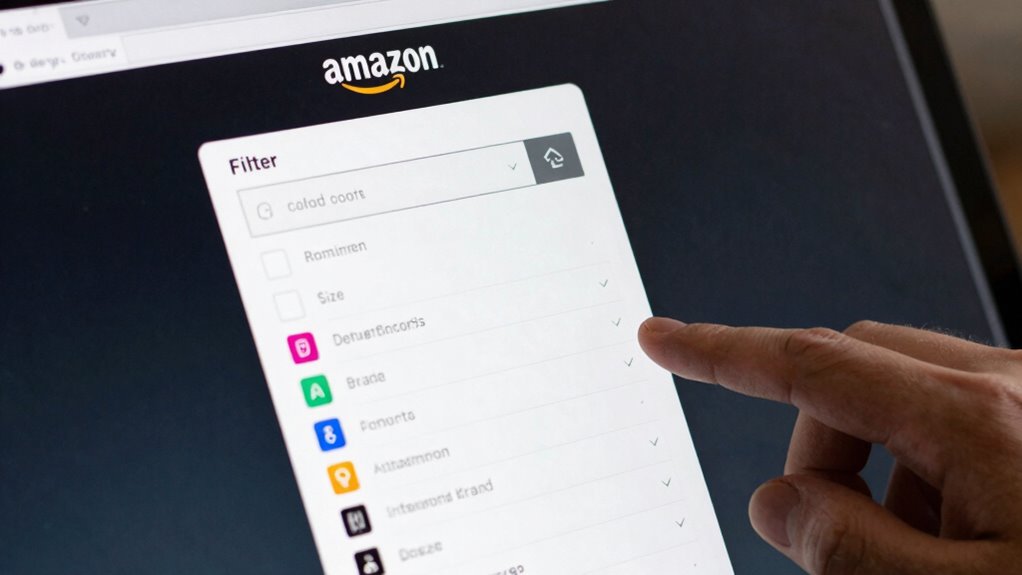
Start by entering a broad search term related to what you want. Once the results pop up, look for the filter options on the sidebar or at the top of the page. These filters allow you to narrow down your choices based on various features such as size, color, brand, price, and customer ratings. For example, if you’re searching for a blender, you might filter by power, capacity, or special functions like smoothie-making or ice crushing. Electric bikes, for instance, can be filtered by horsepower, speed, or battery life to match your riding needs. By doing this, you’re moving beyond just product names and focusing on the features that truly matter to you. Recognizing which features are most relevant can help you avoid getting overwhelmed by options and make smarter decisions.
Use filters to narrow options by size, color, brand, price, and features for a more tailored search experience.
Product comparison is a powerful tool when shopping by features. Amazon often displays side-by-side comparisons or provides detailed product descriptions. Pay close attention to the specifications listed—these details help you determine whether a product meets your needs. Comparing features like battery life, material, or compatibility can give you a clearer picture than just looking at product titles. Remember, the more you compare, the better you’ll understand what features are essential versus optional.
Customer reviews are your best resource for understanding how a product performs in real life. Reading reviews can reveal how well a product’s features work in practice. Look for reviews that mention the specific features you care about. For example, if noise level is critical, see if reviewers comment on how loud or quiet the product is. Reviews also highlight potential issues or limitations that might not be obvious from the description alone. This feedback allows you to make smarter decisions based on actual user experiences. Paying attention to product performance in reviews can give you insights that specifications alone may not reveal.
Additionally, understanding the importance of contrast ratio and other technical specifications can help you choose a projector that offers the best image quality for your home entertainment setup. Ultimately, shopping on Amazon by features instead of just product names empowers you to find products that genuinely fit your needs. Use filters effectively, compare features thoroughly, and read customer reviews to get a thorough understanding. This approach ensures you’re not just buying popular items but choosing the best product tailored to your preferences. With a little effort, your search becomes more precise, saving you time and leading to more satisfying purchases.
Amazon product filters by features
As an affiliate, we earn on qualifying purchases.
As an affiliate, we earn on qualifying purchases.
Frequently Asked Questions
Can I Filter Amazon Search Results by Specific Features?
Yes, you can filter Amazon search results by specific features. Use the filter options on the left side of the search results page to narrow down by features like brand, price, or customer reviews. For more precise choices, compare products through detailed product comparison tools and read customer reviews to verify the features meet your needs. This helps you find the perfect product faster and makes your shopping experience more efficient.
Are There Advanced Search Options for Feature-Based Product Searches?
Did you know that only 20% of Amazon users utilize advanced search options? Yes, there are ways to enhance your search with feature-based filters, improving product comparison and search customization. You can use specific keywords, filter by features, or explore Amazon’s filtering options, like brand, ratings, or technical specs. These tools let you narrow down options effectively, making it easier to find exactly what you want without sifting through irrelevant results.
How Do I Identify Key Features to Search For?
You identify key features by doing a product comparison and reading buyer reviews. Look for common attributes mentioned across reviews, like durability, size, or specific functions. Pay attention to what buyers highlight as important, and note any recurring concerns or praised features. This approach helps you pinpoint essential features, guiding your search to find products that meet your needs effectively.
Can Feature Searches Improve Finding Niche or Specialized Products?
Yes, feature searches can help you find niche or specialized products more easily. By focusing on specific features like product customization options or user reviews highlighting unique aspects, you narrow down your options. This targeted approach lets you discover products tailored to your needs that might be missed with simple product name searches. It’s especially useful for finding items with custom features or those highly rated by users with similar preferences.
Is There a Way to Save Feature-Based Search Preferences?
Sure, you can save your feature-based search preferences, turning Amazon into your personal shopping genie. By customizing filters and settings, you create a personalized search that remembers your favorite features. This way, every time you return, your user preferences are automatically applied, saving you time and frustration. Think of it as having a shopping assistant who knows exactly what features you love—no need to repeat yourself every time.
Conclusion
Mastering how to search Amazon by features transforms your shopping game entirely. Imagine effortlessly finding exactly what you need, as if you’ve opened a secret portal to the universe of products tailored just for you. No more endless scrolling or settling for less. With these tips, you’ll become an unstoppable shopper, uncovering hidden gems faster than you can blink. Get ready to dominate Amazon searches like a pro—your perfect product is just a feature search away!
Flea & tick season Picks
flea and tick prevention
As an affiliate, we earn on qualifying purchases.