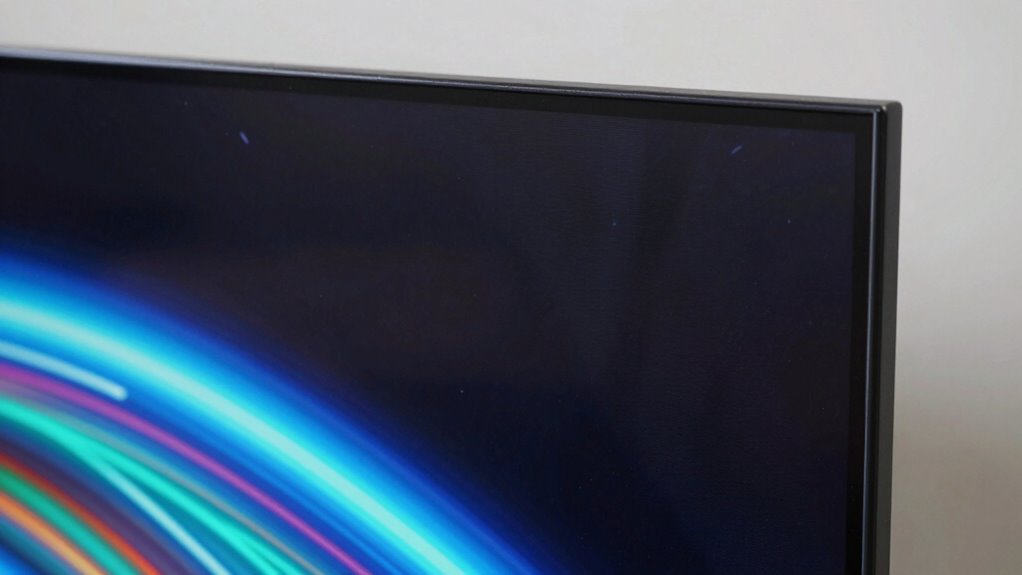

Many potential buyers worry about OLED burn-in, which happens when static images cause pixels to wear unevenly, leading to ghostly remnants over time. Fortunately, modern OLED screens have improved markedly, with features like pixel shifting and brightness controls that help prevent this issue. Using screensavers and avoiding static images can further prolong panel life. If you want to understand how these advances and tips work in detail, keep exploring to find out more.

Get your next haul delivered free — and shop member deals
- Fast, free delivery on millions of items
- Access to Prime Big Deal Days deals on October 6–7
- Prime Video, Amazon Music and more included
Key Takeaways
- Modern OLED screens have significantly reduced burn-in risks with advanced mitigation features.
- Static images like logos or HUDs can cause uneven pixel wear over time.
- Using screensavers, adjusting brightness, and avoiding static content extend OLED lifespan.
- Technologies like pixel shifting and automatic brightness limiting help prevent burn-in.
- Proper usage ensures OLED displays remain vibrant and durable for long-term use.
If you’re considering an OLED display, you might be wondering about burn-in and whether it’s a real concern. It’s a common question among buyers because the idea of static images leaving permanent marks on a screen can be unsettling. The truth is, burn-in is a form of image retention where pixels that display the same content for extended periods wear out faster, causing ghostly remnants of previous images. However, modern OLED technology has considerably improved, reducing the risk of burn-in for everyday use. Manufacturers now implement various mitigation techniques, making it less of a concern for typical users. Still, it’s wise to understand how burn-in relates to factors like color accuracy and panel longevity, which are central to the overall experience.
Color accuracy is one of OLED’s standout features. Thanks to individual pixel control, OLED screens can produce more vibrant and precise colors compared to other display types. This high color fidelity enhances your viewing experience, whether you’re watching movies, gaming, or doing creative work. But, if you display static content, like a logo or a HUD, for too long, those pixels can age unevenly, affecting color accuracy over time. This is where panel longevity comes into play. OLED panels tend to degrade gradually, and prolonged static images can accelerate this process, leading to uneven wear. That’s why many manufacturers recommend avoiding static images or using screensavers, especially if you plan to keep the display on for hours at a time.
OLED’s vibrant colors can fade with static images, so use screensavers and avoid prolonged static content for longer panel life.
The good news is that panel longevity has improved with newer OLED models. Manufacturers now incorporate features like pixel shifting, automatic brightness limiting, and screen refresh cycles that help distribute wear evenly across the panel. These measures extend the lifespan of your display, preserving color accuracy and preventing burn-in. Additionally, understanding the wear patterns of OLED panels can help you better manage static content and prolong your display’s life. As technology advances, wear mitigation strategies are becoming more sophisticated and effective, further reducing the potential for burn-in. Moreover, ongoing research and development in OLED technology aims to develop even more effective mitigation techniques, making these displays safer for a wider range of usage scenarios. For example, some newer models incorporate pixel management strategies that actively reduce uneven wear, further enhancing durability. As long as you use your OLED device thoughtfully—avoiding prolonged static images and adjusting brightness settings—you’ll likely enjoy many years of vibrant, accurate colors without worrying about permanent burn-in.
As an affiliate, we earn on qualifying purchases.
Frequently Asked Questions
How Long Does OLED Burn-In Typically Take to Develop?
OLED burn-in can develop over months or years, depending on usage and screen calibration. If you consistently display static images or bright content, burn-in may appear sooner, often within a couple of years. To maximize OLED lifespan, avoid prolonged static images and regularly calibrate your screen. Proper care and moderate use reduce the risk, helping your OLED display stay vibrant and free from burn-in for a longer time.
Can Software Updates Reduce or Prevent Burn-In?
Software updates can help reduce or prevent burn-in by optimizing screen calibration and tweaking display settings. Manufacturers often include features like pixel shifting or screen savers in updates, which protect your OLED panel. Protective coatings also add an extra layer of defense against burn-in, but software updates are essential for ongoing prevention. Keep your device updated regularly to benefit from these improvements and prolong your OLED screen’s lifespan.
Is Burn-In Permanent or Reversible?
Burn-in is like fading footprints on a sandy beach—initially deep but gradually softened. It’s often reversible, especially with proper screen longevity practices and image retention management. While some persistent burn-in can be permanent, many cases improve over time or with software tools designed to reduce ghost images. So, you might not need to worry forever; your screen can heal, restoring its vibrant, seamless display.
Do All OLED Screens Have the Same Susceptibility?
Not all OLED screens have the same susceptibility to burn-in. Factors like color accuracy and screen durability influence how prone they are. Higher-quality OLEDs often feature improved screen durability, reducing burn-in risks, while cheaper options may be more vulnerable. You can protect your display by avoiding static images and using built-in safeguards. So, choose carefully, considering the OLED’s quality and how it handles static content to minimize burn-in concerns.
How Does Brightness Affect Burn-In Risk?
Higher brightness levels increase the risk of burn-in on your OLED screen because they accelerate image retention and reduce overall screen longevity. When you keep static images at high brightness for extended periods, it can cause uneven wear on the pixels, leading to burn-in. To protect your display, it’s best to use moderate brightness and enable features like screen refresh or pixel shift, which help prevent long-term image retention.
Conclusion
Considering the concerns around OLED burn-in, it’s understandable to hesitate before buying. But did you know that only about 0.5% of OLED users report noticeable burn-in after five years? That tiny percentage shows most users enjoy vibrant screens without issues. With proper care—like using screen savers and avoiding static images—you can substantially reduce the risk. So, if you love the picture quality, don’t let the burn-in fear hold you back from experiencing OLED’s stunning visuals.
Fall Picks
fall essentials
As an affiliate, we earn on qualifying purchases.