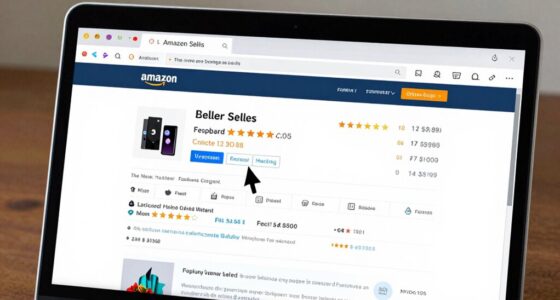

To check if an item is Prime-eligible before checkout, look for the Prime logo or “Prime” label on the search results, product page, or cart. The logo is usually a small blue checkmark or label near the price or “Add to Cart” button. You can also filter your search results by selecting the Prime filter to display only eligible items. Keep an eye out for these indicators to make your shopping faster and more cost-effective. If you continue exploring, you’ll find even more helpful tips.

Get your next haul delivered free with Prime
- Fast, free delivery on millions of items
- Prime Video, Amazon Music and more included
- Member-only deals all year
Key Takeaways
- Look for the Prime logo or “Prime” label next to the product on listing pages.
- Use the “Prime” filter during search to display only Prime-eligible items.
- Check the product detail page for Prime eligibility near the price or “Add to Cart” button.
- Confirm Prime status in your shopping cart before proceeding to checkout.
- Review any delivery or shipping details indicating Prime benefits or fees.

Ever wonder how to quickly determine if an item qualifies for Prime benefits before you reach checkout? It’s a smart move, especially if you want to maximize your Prime membership benefits and enjoy shipping cost savings. When browsing Amazon, the easiest way to spot Prime-eligible items is to look for the Prime logo—usually a small, blue checkmark or the word “Prime” next to the product listing. This symbol indicates that the item is available for Prime shipping, which often means faster delivery and no additional shipping fees for Prime members.
Look for the Prime logo next to products to quickly identify Prime-eligible items and enjoy faster, free shipping.
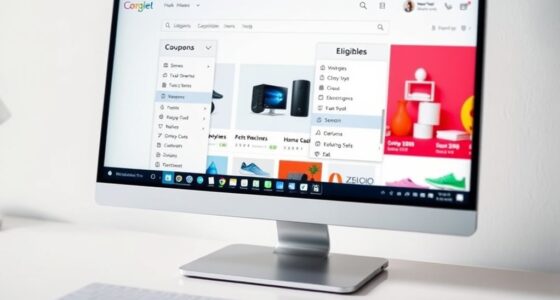
You can also use the filter options on the search results page. After entering your product search, simply click on the “Prime” filter, and it will show only items eligible for Prime benefits. This saves you time and helps you avoid accidentally selecting items that might not qualify, especially when you’re trying to take advantage of shipping cost savings. If you’re shopping via the Amazon app, the process is similar; look for the Prime logo or enable the Prime filter in the filter menu.
Another way to check Prime eligibility is by viewing the product detail page. Here, Amazon clearly states if an item is Prime-eligible, often with a prominent Prime badge near the price or “Add to Cart” button. Sometimes, the page will also specify the delivery date, giving you a good idea of how quickly it will arrive. Understanding Prime eligibility can help you make more confident purchasing decisions, especially when you need items quickly or want to avoid additional costs. Recognizing campsite selection and its impact on access to amenities or natural surroundings can also influence your shopping choices. Knowing how to interpret product labels can also assist in making informed choices about your purchase. If the item isn’t Prime-eligible, Amazon usually indicates that shipping will be charged separately or that it will take longer to deliver. This way, you can make an informed decision before committing to the purchase, ensuring you’re not surprised by unexpected shipping costs or delays. Additionally, understanding projector features can help you choose the right device, especially if you’re shopping for home cinema or gaming setups.
Furthermore, if you’re a Prime member, you can check your cart before checkout. Items that qualify for Prime benefits will typically have the Prime logo displayed alongside their price. This quick visual cue helps you confirm whether you’re getting the full advantage of your membership benefits, including shipping cost savings. Being able to verify Prime eligibility beforehand makes your shopping more efficient and helps you avoid any last-minute surprises. Recognizing Prime benefits and how they apply to different products can further enhance your shopping experience.
As an affiliate, we earn on qualifying purchases.
Frequently Asked Questions
Can Non-Prime Members See Prime-Eligible Items?
Yes, non-prime members can see Prime-eligible items, but they won’t access Prime benefits like free shipping or exclusive discounts. Amazon displays Prime-eligible items to everyone, but membership requirements restrict the benefits. If you’re not a Prime member, you’ll see prices without Prime discounts, and some shipping options may be limited. To enjoy Prime benefits, consider subscribing to a Prime membership and take advantage of the perks.
Are There Any Exceptions for Prime-Eligible Items?
Ever wonder if there are Prime restrictions or eligibility exceptions? Yes, some Prime-eligible items can face restrictions, like certain brands or items shipped from third-party sellers. These exceptions might limit benefits like free shipping or Prime Day deals. Always check the product details carefully, because some items labeled Prime might have specific restrictions. Are you aware of all the restrictions that could affect your Prime shopping experience?
How Often Does Prime Eligibility Change?
Prime eligibility updates happen periodically, but there’s no set schedule. The eligibility change frequency varies depending on Amazon’s policies, supplier agreements, and stock availability. You should regularly check product pages for updates, especially if you’re waiting on Prime shipping. Amazon’s system automatically updates eligibility status, so it’s a good idea to review it before checkout to guarantee the item remains Prime-eligible.
Is Prime Eligibility Displayed on Mobile Devices?
Yes, Prime eligibility is displayed on mobile devices. When shopping, your Prime membership automatically applies shipping discounts and shows which items qualify for Prime benefits. You can easily spot Prime-eligible items with the Prime badge on product pages. This guarantees you know before checkout if you’ll receive the shipping discounts, saving you time and surprises. Checking eligibility on your mobile makes shopping seamless and confirms your Prime benefits at a glance.
Can I Filter Search Results by Prime Eligibility?
Yes, you can filter search results by Prime eligibility to simplify your product comparison and shipping options. On desktop, you’ll see a Prime filter on the left sidebar, and on mobile, tap the filters icon to select Prime-eligible items. This helps you quickly find products with free Prime shipping, making your shopping experience more efficient and ensuring you choose items that meet your Prime benefits.
Conclusion
Knowing if an item is Prime-eligible before checkout can save you time and surprise costs. Did you know that over 150 million Amazon Prime members enjoy free two-day shipping? By quickly checking the Prime eligibility badge or delivery options on the product page, you guarantee a smooth shopping experience. Stay informed and make smarter choices—your wallet and schedule will thank you!
Halloween Picks
halloween
As an affiliate, we earn on qualifying purchases.