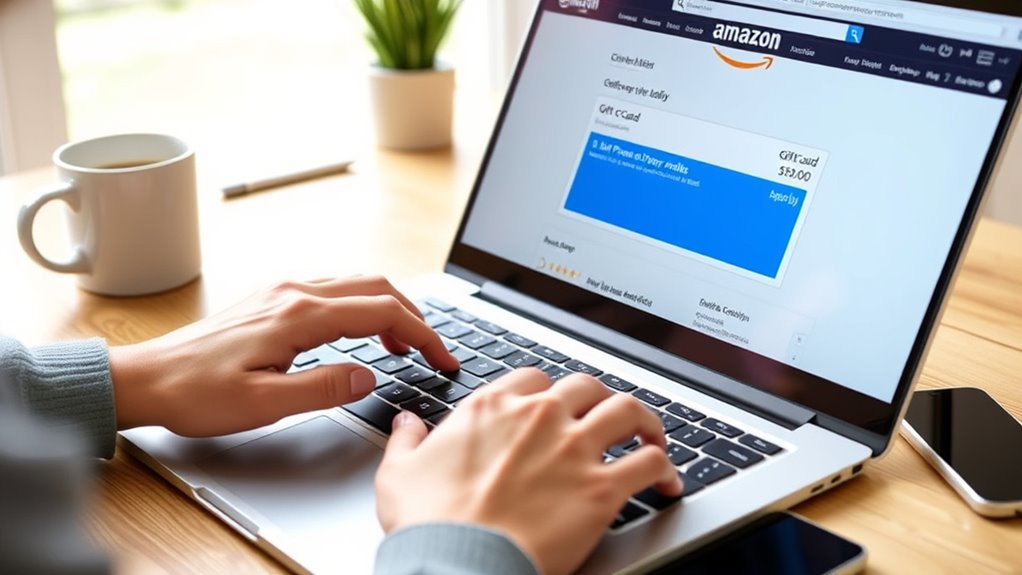

To apply your Amazon gift card and promo credits at checkout, simply go to your account’s payment options or gift card balance section to view your funds. During checkout, the system will automatically suggest using available credits first, but you can review or opt out if you’d prefer to pay with other methods. Managing your balance and maximizing savings is straightforward—continue to explore how easy it is to control your available funds.
Key Takeaways
- Access your account’s “Payment Options” to view and manage your gift card and promo credit balances.
- Add funds by redeeming gift cards through the “Redeem Gift Card” feature, entering codes to instantly increase your balance.
- During checkout, the system automatically suggests applying available credits; review and confirm before completing your purchase.
- You can manually deselect the account balance or choose alternative payment methods if desired.
- Monitor remaining balances and expiration dates to maximize the use of your gift cards and promotional credits.

Your Amazon account balance makes shopping easier by allowing you to pay directly with funds stored in your account. When you add gift cards or promotional credits to your account, they become part of your digital wallet, streamlining the checkout process. This setup means you don’t need to manually enter codes each time you purchase something; instead, your available balance is automatically applied where eligible. Managing your account balance is key to maximizing savings, and Amazon’s account management features make it straightforward to keep track of your credits and gift card balances. Utilizing your balance effectively can also help you maximize space and organization by planning your purchases around your budget and storage needs. To use your Amazon account balance, start by checking the available funds in your account. You can do this by browsing to your account settings and selecting “Gift Card Balance” or “Payment Options.” Here, you’ll see the total amount of gift card credits and promotional credits stored in your account. When you shop, Amazon’s system automatically applies these funds during checkout, prioritizing gift card balances before drawing from your linked payment methods. This automatic application helps you avoid the hassle of entering gift card codes manually and ensures you’re using your credits efficiently. If you want to apply specific gift cards or promo credits to your account, you can do so through the “Redeem Gift Card” option. Enter the code provided on your gift card, and the funds will instantly be added to your digital wallet. Once added, these funds become part of your account management system, making future purchases smoother. You can also view the expiration dates and remaining balances of your credits at any time, which helps you plan your shopping and avoid losing unused funds. During checkout, Amazon’s system will automatically suggest applying your available gift card or promo credit balance to your order. You can review this before confirming your purchase. If you prefer to pay with a different credit card or debit account, you have the option to deselect the balance application. This flexibility ensures you’re always in control of how your funds are used, whether you want to save certain credits for future purchases or fully utilize your current balance.

Amazon eGift Card – Amazon Logo – (Digital Delivery)
Amazon.com Gift Cards never expire and carry no fees.
As an affiliate, we earn on qualifying purchases.
As an affiliate, we earn on qualifying purchases.
Frequently Asked Questions
Can I Combine Multiple Gift Cards for One Purchase?
Yes, you can combine multiple gift cards for one purchase on Amazon. This process is called gift card stacking, and it allows you to use several gift card codes at checkout. Keep in mind, there are credit limitations, so the total value of your gift cards can’t exceed the purchase amount. To do this, simply enter each gift card code during checkout, and the balance will be applied accordingly.
Do Promo Credits Expire or Have Usage Limits?
Promo credits are like ticking clocks—they do expire, often within a specified period after issuance, so check the expiration date to avoid losing the benefit. They also have usage limits, meaning you might need to use them in combination with other payment methods if the credit doesn’t cover the full purchase. Keep an eye on these details to make sure you get the most out of your promo credits before they vanish.
Are There Restrictions on Applying Credits to Certain Items?
Yes, there are gift card restrictions and item exclusions you should be aware of. Some items, like digital content, subscription services, or certain third-party seller products, may be ineligible for credit application. Always check the product details and Amazon’s gift card restrictions before applying your credits. If an item is excluded, you might need to pay with a different payment method or split your order to use credits on eligible items.
How Do Refunds Affect Applied Gift Card and Promo Credits?
Think of refunds as a gentle tide that reshapes your financial shoreline. When you get a refund, Amazon processes it through refund processing, which may include credit adjustments. If you used gift card or promo credits, these credits are usually restored to your account, but sometimes they’re partially or fully deducted based on the original purchase. Keep in mind, refund rules can vary, so check Amazon’s policies for your specific situation.
Can I Use My Amazon Balance for International Orders?
Yes, you can use your Amazon balance for international orders. When shopping internationally, Amazon applies your balance to cover eligible purchases, including international shipping costs. Keep in mind, currency conversion may take place if your balance is in a different currency than the item’s price. Be aware that some fees or restrictions might apply based on your country, so review Amazon’s international shipping policies to ensure smooth transactions.
Amazon promo credits management
As an affiliate, we earn on qualifying purchases.
As an affiliate, we earn on qualifying purchases.
Conclusion
Imagine a world where every dollar in your Amazon account balance feels like a little victory. Some say that gift cards and promo credits are just small perks, but in reality, they’re your secret weapon to save money and shop smarter. Think about the power you hold—your balance isn’t just a number, it’s a tool to make your shopping easier and more affordable. Embrace it, and watch your savings grow!
Amazon eGift Card – Amazon Logo – (Digital Delivery)
Amazon.com Gift Cards never expire and carry no fees.
As an affiliate, we earn on qualifying purchases.
As an affiliate, we earn on qualifying purchases.
Amazon eGift Card – Amazon Logo – (Digital Delivery)
Amazon.com Gift Cards never expire and carry no fees.
As an affiliate, we earn on qualifying purchases.
As an affiliate, we earn on qualifying purchases.