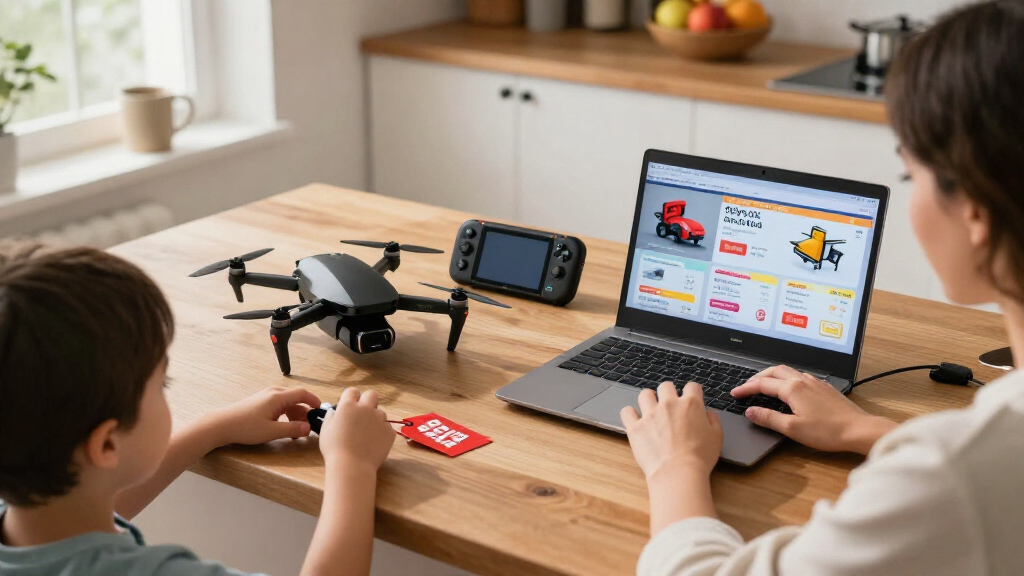

Use this guide to find Black Friday deals on tech toys, such as coding kits, robots, smartwatches, electronic pets, and gaming accessories. It is for shoppers who want to compare offers, choose age-appropriate products, and avoid paying more than planned. The task is beginner-friendly and usually takes 1–3 hours of research, depending on how many products you compare.

Get your next haul delivered free with Prime
- Fast, free delivery on millions of items
- Prime Video, Amazon Music and more included
- Member-only deals all year

Thames & Kosmos My Robotic Pet: Coding Chameleon Robotics Kit
- ✔ Brand: Thames & Kosmos
- ✔ Model: My Robotic Pet: Coding Chameleon
- ✔ Length: 15 inches

SWTOIPIG RH705 Programmable Remote Control Robot Toy
- ✔ Brand: SWTOIPIG
- ✔ Model: RH705
- ✔ Dimensions: 6 × 3 × 9 inches

SIMREX Gesture-Controlled Robot Toy for Kids
- ✔ Brand: SIMREX
- ✔ Recommended age: 6 years and up
- ✔ Controls: Gesture sensing and 19-button remote
Difficulty: Beginner | Time: 1–3 hours of research; allow extra time for delivery or store pickup
What You’ll Need
Tools & Materials:
- Phone or computer with internet access
- Notes app or spreadsheet for comparing products
- Payment method and retailer account, if buying online
Knowledge:
- Basic familiarity with the child’s age, interests, and skill level
- A spending limit, including tax, shipping, and any needed accessories
Make a short list of toy types before sale day. Check whether a toy needs an app, a compatible phone or tablet, batteries, a subscription, or an internet connection. These extras can change the real cost.
Thames & Kosmos My Robotic Pet: Coding Chameleon Robotics Kit
For a gift that feels like a project as well as a toy, the Coding Chameleon is our strongest all-around choice. Children build a 15-inch robotic animal, then use color-coded action cards to set movements without a screen or software. Its color and infrared sensors, RGB lights, articulated joints, and moving tongue give those instructions a visible result, so the coding idea is tied to something children can observe and change.The three modes make this more adaptable than either ready-to-play robot here: Coding invites planned sequences, while Wild and Pet modes offer other ways to interact. The 48-page manual adds assembly guidance and introductions to robotics and biomimicry. Compared with the SWTOIPIG and SIMREX, this pick puts more of the play into building and exploring rather than songs, voice playback, or remote-controlled movement.That extra depth comes with setup demands. Younger builders need adult help, and the kit needs batteries. It is a better match for a patient child who enjoys following instructions than for someone who wants to start dancing a robot right away. We rank it first because its educational play and interactive features work together as one coherent experience.
Pros:
- Three modes support different styles of interaction.
- Action cards teach basic programming without a screen.
- Sensors, color changes, articulated joints, and a moving tongue make movement responsive.
- The manual guides assembly and introduces robotics and biomimicry.
Cons:
- Younger children need adult help with assembly.
- Batteries are required.
Best for: Children ages 8–12 who enjoy building, animals, and learning basic coding without a screen.
Not ideal for: Children who want a ready-to-play robot with music and remote controls, or younger builders without adult help.
Bottom line: Choose the Coding Chameleon when a build-and-learn experience matters more than instant robot performances.
“Choose the Coding Chameleon when a build-and-learn experience matters more than instant robot performances.”
SWTOIPIG RH705 Programmable Remote Control Robot Toy
The RH705 is the choice for a child who wants to direct a robot rather than build one. It combines remote and gesture control with programmable sequences of up to 50 actions, giving kids room to shape a routine instead of repeating only preset demos. Voice recording and eight dance songs add performance play, while the shield and three-round cannonball rack give the robot an action-oriented theme.Against the SIMREX, the RH705 puts more emphasis on creating longer programmed sequences and includes more themed accessories. It is also more immediately playable than the Coding Chameleon, which requires assembly before the robot experience begins. That makes the SWTOIPIG a compelling Black Friday gift for kids who like directing, staging, and replaying robot routines.The tradeoff is that its feature list leans toward entertainment rather than construction or a clearly described learning path. Play time is listed as up to one hour per charge, so recharging may interrupt a long session. The cannonball rack holds just three rounds, a small but relevant limit for children drawn to its action accessories. We place it second: its controls and programming are appealing, but the chameleon offers a more integrated build-and-learn experience.
Pros:
- Remote and gesture controls offer two ways to direct the robot.
- Programming supports sequences of up to 50 actions.
- Voice recording and eight dance songs expand performance play.
- Shield and cannonball rack add themed accessories.
Cons:
- Play time is listed as up to one hour per charge.
- The cannonball rack holds three rounds.
Best for: Kids who enjoy remote-control play, making action sequences, recording voices, and robot performances.
Not ideal for: Children who prefer building projects, or families seeking longer play between charges.
Bottom line: Pick the RH705 for programmable performance and accessories, accepting a shorter play session and limited cannonball capacity.
“Pick the RH705 for programmable performance and accessories, accepting a shorter play session and limited cannonball capacity.”
SIMREX Gesture-Controlled Robot Toy for Kids
The SIMREX makes the most sense when the priority is simple, immediate interaction. Children ages six and up can steer it with hand gestures or a 19-button remote, then switch among singing, dancing, demonstrations, and voice recording and playback. Six LED colors and flexible joints add visual variety, while smooth wheels support movement around a play area.Compared with the SWTOIPIG RH705, the SIMREX is positioned for younger children and specifies a 7-meter remote range. It still offers programmable moves, but the supplied details give less emphasis to long custom sequences than the RH705’s 50-action programming. Unlike the Coding Chameleon, it requires no construction project or card-based coding before play. That makes it an approachable introduction to a responsive robot, rather than the strongest choice for a child seeking a deeper building activity.Its practical limits are familiar across this lineup: around 60 minutes of play per USB charge, plus two AA batteries for the remote that are not included. The SWTOIPIG also has a roughly one-hour play limit, but includes a rechargeable battery; the SIMREX needs separate remote batteries to be ready. We rank it third because it is a clear beginner pick, though its play is less centered on building or substantial programming than our top two.
Pros:
- Gesture sensing and a 19-button remote provide flexible controls.
- Singing, dancing, demos, and voice playback support varied play.
- Six LED colors and flexible joints add visual and movement detail.
- USB charging provides about 60 minutes of play.
Cons:
- Remote requires two AA batteries, which are not included.
- Play time is about 60 minutes per charge.
Best for: Children age six and up who want an easy-entry robot with gesture control, songs, and a remote.
Not ideal for: Older kids seeking a building challenge or detailed programming, and gift buyers who need every battery included.
Bottom line: Choose the SIMREX for accessible gesture-and-remote play, especially for a younger child new to robot toys.
“Choose the SIMREX for accessible gesture-and-remote play, especially for a younger child new to robot toys.”
As an Amazon Associate we earn from qualifying purchases.
Before You Start
Set a maximum total budget and decide which features matter most. Black Friday prices and stock can change quickly, so save product names, model numbers, and current prices ahead of time. Compare the exact model and bundle: similar listings may omit a controller, charger, expansion pack, or other accessory.
For toys with cameras, microphones, location features, or online accounts, review the manufacturer’s privacy information and parental controls before buying. Check the stated age range and any relevant safety notices. Avoid listings that do not clearly identify the seller or product model.
Step-by-Step Instructions
Step 1: List the toys that fit the child
Write down two or three toy types that match the child’s interests and abilities, such as a beginner coding robot, a buildable electronics kit, or a child-friendly camera. Note the child’s age and whether they will use the toy alone or with an adult.
Tip:Choose useful features before browsing deals. A long feature list is less helpful than knowing which two or three functions the child will actually use.
Check: Your list names a few suitable toy types and the features each one needs.
Step 2: Set a total spending limit
Choose the maximum amount you will spend on each toy, including tax, delivery, batteries, storage, subscriptions, and required accessories. Keep a small reserve if you expect to buy more than one item.
Tip:A low advertised price can lead to a higher total if a toy needs a separate controller, special batteries, or a paid app plan.
Check: You have a clear maximum total price for each purchase.
Step 3: Check compatibility and requirements
Open the manufacturer’s product page for each candidate. Confirm the recommended age, dimensions, included parts, power source, app requirements, supported phone or tablet systems, and whether setup needs Wi-Fi or an account.
Tip:If the toy connects to the internet or collects data, check what information it uses and whether an adult can manage accounts, contacts, voice features, and purchases.
Check: You know what the toy needs to work and have confirmed that it suits the child and available devices.
Step 4: Record prices before the sale
Save the exact product name, model number, seller, and current price for each candidate. Use retailer wish lists or a note so you can compare the Black Friday offer with the same item later.
Tip:Take care to distinguish a new item from refurbished, open-box, or marketplace listings. Compare like with like.
Check: Your notes identify the exact models and their pre-sale prices.
Step 5: Compare the sale price across sellers
Search the exact model number at the manufacturer and at reputable retailers. Compare the final checkout price, shipping or pickup fees, bundle contents, and return window. Check whether a coupon applies before relying on the listed discount.
Tip:Retailers may show a percentage off a suggested price that is rarely charged. Use your saved price and other current listings to judge whether the offer is worthwhile.
Check: You have at least two comparable offers, or a clear reason why one seller is the best option.
Step 6: Read the listing and seller details
Before adding the toy to your cart, verify the model number, condition, seller name, included accessories, delivery estimate, warranty information, and return terms. Read recent buyer feedback for repeated issues such as missing parts or unreliable app support.
Tip:On a marketplace, confirm who handles returns and warranty claims. A familiar marketplace name does not mean the marketplace itself is the seller.
Check: The listing matches the product you researched and states who sells it and how returns work.
Step 7: Place the order and save the receipt
Review the cart total, shipping address, delivery or pickup method, and selected product one last time. Submit the order, then save the confirmation email or receipt and note the expected delivery date.
Tip:Do not rush through checkout if the product, seller, or total differs from your notes. Recheck the listing before paying.
Check: The order confirmation shows the correct model, seller, price, and delivery or pickup details.
Step 8: Inspect and set up the toy
When the toy arrives, check the packaging, parts, and model against the listing. Follow the included setup instructions, install the official app if required, and set parental controls before giving the toy to the child.
Tip:Keep the packaging and receipt until you have tested the toy and confirmed that all parts work.
Check: The toy powers on, required features work with your devices, and account or privacy settings are configured.
Common Mistakes to Avoid
- Buying based only on the displayed discount percentage. — Compare the final price with your saved price for the same model and check competing sellers.
- Overlooking required devices, subscriptions, or accessories. — Read the manufacturer’s requirements and add all required costs to your budget before ordering.
- Choosing a toy that is too advanced or unsuitable for the child’s age. — Check the age guidance and consider whether the child can use the toy with the available adult support.
- Assuming every marketplace listing has the same return or warranty coverage. — Check the named seller, condition, return terms, and warranty before checkout.
Troubleshooting
Problem: The sale listing does not show the model number or bundle contents clearly.
Solution: Open the manufacturer’s product page and compare the item number and included parts. If they still do not match, choose a listing with clearer details.
Problem: The advertised deal is unavailable or the price changes at checkout.
Solution: Refresh the listing, verify the cart total, and compare another reputable seller. Do not buy a substitute until you have checked its model and requirements.
Problem: The toy’s app will not install or connect.
Solution: Check the supported operating system and device requirements, update the device, and follow the manufacturer’s setup steps. Contact the manufacturer if a compatible device still cannot connect.
Problem: The item arrives with missing parts or visible damage.
Solution: Photograph the packaging and the issue, keep the receipt, and contact the seller promptly to request a replacement or return under its stated policy.
What Success Looks Like
You have bought a toy that fits the child’s age and interests, confirmed the exact model and what it includes, and kept the total within budget. The order confirmation matches your intended purchase, and after delivery the toy works with the required devices and has appropriate account and parental settings.
Next Steps
Keep the receipt, packaging, warranty details, and setup instructions together until the return period ends. Check the toy periodically for software updates, battery issues, and changes to account or privacy settings. If the toy is a gift, test it before wrapping when time allows so setup problems can be handled while support and return options are available.
Frequently Asked Questions
How can I tell whether a Black Friday tech toy deal is real?
Compare the sale price for the exact model with the price you recorded before the sale and with current offers from other reputable sellers. Include shipping, tax, and required accessories in the comparison.
Should I buy a toy if it is marked down but has few reviews?
Check the manufacturer, model details, seller, warranty, and return terms. A discount alone does not establish product quality. If key information is missing, choose a clearer listing or a seller with a stronger track record.
What should I check before buying a connected toy?
Confirm compatible devices, internet and account requirements, app cost, parental controls, and the manufacturer’s privacy details. Check whether the toy’s main features still work if app support ends.
Is a bundle always a better deal?
No. Compare the bundle’s contents and total price with buying only the parts you need. A bundle may include accessories the child will not use.
When should I test a tech toy after it arrives?
Test it as soon as practical. Check that the parts are present, the toy powers on, required apps connect, and the main features work while the return period is open.