
TL;DR
Prebuilt AI workstations now often match or beat DIY on price thanks to bulk buying and component shortages. Your choice depends on how much control, customization, and support you need versus quick deployment and warranty.
Imagine this: you’re ready to dive into AI development, but the choice feels overwhelming. Do you spend hours sourcing parts, tuning your machine, and risking compatibility mishaps? Or do you click ‘order’ on a prebuilt, knowing it’s tested, supported, and ready to go? That question—build or buy—is no longer just about saving money. It’s about speed, support, and control in a world where AI hardware costs are climbing and component shortages hit everyone. This guide will help you weigh the real trade-offs, backed by the latest trends and real-world examples, so you can make the best choice for your workload and workflow.
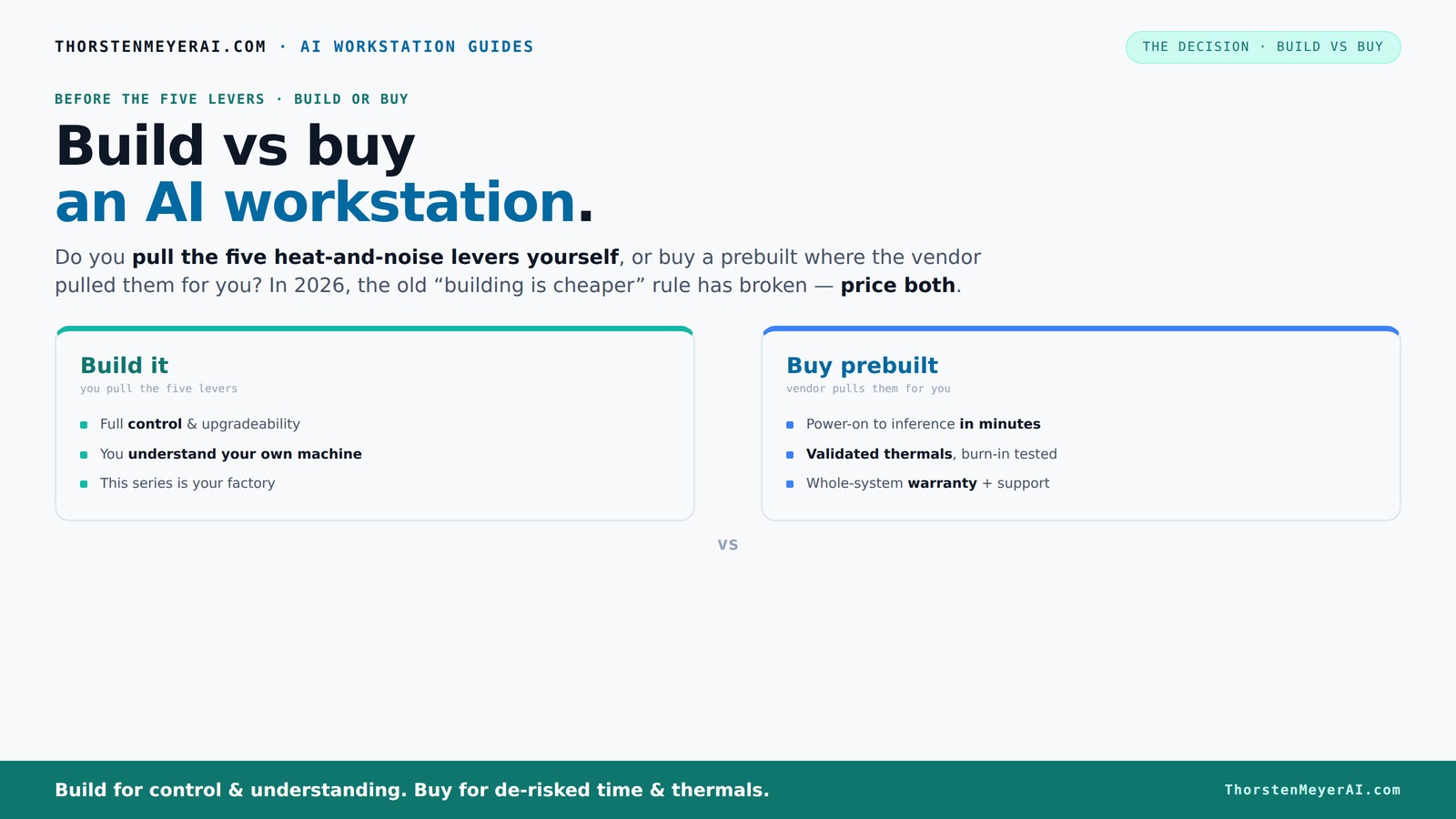
Build vs buy
an AI workstation.
The real question behind this whole series: do you pull the five heat-and-noise levers yourself, or buy a prebuilt where the vendor pulled them for you? And in 2026, the old “building is cheaper” rule has broken. Match your situation in Part 3.
Key Takeaways
- In 2026, prebuilt AI workstations often match or beat DIY costs due to component shortages and bulk buying discounts.
- Choosing between build or buy depends on your need for speed, control, and support, not just initial price.
- Prebuilts reduce setup time, thermal risks, and troubleshooting, making them ideal for production environments. For more insights, visit Build vs Buy a Prebuilt AI Workstation.
- DIY offers unmatched control and upgradeability but demands time, skills, and patience—best suited for hobbyists and long-term planners.
- Always price your specific configuration both ways before making a decision; the landscape shifts quickly.
As an affiliate, we earn on qualifying purchases.
What a prebuilt AI workstation really is — and why it might surprise you
A prebuilt AI workstation is a system assembled by a vendor, tested for thermal performance, and ready to run your AI projects the moment you turn it on. Unlike DIY, where you pick parts and assemble yourself, prebuilt vendors validate every component, often including cooled, optimized configurations that run whisper-quiet under load. This validation process is crucial because AI workloads generate significant heat, and improper thermal management can lead to thermal throttling, which hampers performance and shortens component lifespan. You can learn more about build vs buy a prebuilt AI workstation. By ensuring optimized thermals and stability, prebuilt systems reduce unexpected downtime and improve reliability—especially important for professional environments where delays cost money. Think of it like buying a race car that’s been tuned and tested versus building your own. Both can go fast, but one arrives ready to race, with support if something goes wrong. The real implication? Prebuilts save you time and reduce risk, but often at the cost of some customization flexibility.
What 'build vs buy' really means for AI workloads — speed, control, and cost
Choosing between building or buying hinges on your workload and priorities. If you're considering your options, see how build vs buy a prebuilt AI workstation compares. If you need a system for local inference, model training, or content creation, the hardware specs matter: GPU VRAM, CPU power, RAM, and cooling design are critical. Prebuilts often come with AI-optimized hardware, pre-installed software, and validated thermals, letting you start working immediately. This means you can bypass the complex process of selecting compatible parts and spend more time on your actual work. However, this comes with trade-offs: you might have less ability to tailor every component or upgrade easily later. Building your own gives you total control over every component, from choosing the quietest GPU to customizing cooling, which can be vital if your workload demands specific configurations or if you want to maximize performance for a specific task. But it demands time, technical skill, and patience, and the risk of compatibility issues or suboptimal thermal design increases if you’re not experienced. The key implication? The choice impacts not just initial setup time but also long-term flexibility and maintenance. For instance, a prebuilt may be less upgradeable in the future, but it ensures performance stability now. Conversely, a DIY allows for future customization but may require ongoing troubleshooting and adjustments.
Cost comparison: upfront price vs. total ownership in 2026
| Build | Buy |
|---|---|
| Initial cost: Often cheaper if you source parts yourself, but beware of shortages. A high-end build with a 3090 GPU, 64GB RAM, and fast SSD can cost around $2,000–$2,500. However, this price may fluctuate due to supply chain issues, and sourcing compatible parts quickly can be challenging, potentially leading to delays or compromises on quality. | Prebuilt systems from vendors like Lambda or Puget typically range from $2,200 to $3,000, often including validation, warranty, and pre-installed software. Due to bulk buying, some prebuilts match or beat DIY prices. The real advantage here is the time saved and the assurance of system stability, which can translate into less downtime and fewer troubleshooting costs over the system’s lifespan. |
| Additional costs: Time, effort, troubleshooting, potential compatibility issues, and future upgrade complexity. These hidden costs can accumulate, especially if you encounter hardware incompatibilities or need to troubleshoot thermal issues or driver conflicts. | Support, warranty, and validated thermals are built in, reducing the risk of downtime and repair costs. Over time, these benefits can outweigh the initial savings of a DIY build, especially in professional or production settings where reliability is paramount. |
In 2026, the old rule that building is always cheaper no longer holds. The total cost of ownership, including time, troubleshooting, and potential downtime, must be considered. Always price both options with your specific specs before deciding, because the landscape shifts rapidly with market conditions.
Performance for AI workloads — which setup wins?
Performance depends on your hardware choices and how well they’re tuned. To explore options, check out build vs buy a prebuilt AI workstation. Prebuilt systems often come with AI-optimized components, like NVIDIA’s RTX 4090 with 24GB VRAM, validated cooling, and pre-installed software stacks. This ensures consistent performance under heavy loads and reduces the risk of thermal throttling, which can significantly impact training times and inference speeds. Proper thermal management is especially critical when running prolonged AI workloads, as overheating can lead to reduced hardware lifespan and unexpected crashes. Learn more about build vs buy a prebuilt AI workstation. The validation process in prebuilts often includes thermal and power testing, ensuring the system maintains peak performance over time.
DIY gives you flexibility: you can pick a quieter GPU, undervolt for lower power and noise, or add custom cooling. This can be advantageous if your workload is sensitive to noise or power consumption, or if you want to optimize for energy efficiency. However, it requires expertise and rigorous testing to achieve similar stability and performance levels. Recent benchmarks show that a well-chosen prebuilt can run models at near-identical speeds to a DIY setup, especially when validated for thermal performance, because manufacturers often test and optimize configurations specifically for AI workloads. The implication? The hardware quality and thermal management are often more critical than whether the system is prebuilt or DIY, but prebuilts tend to provide a more reliable baseline. For further details, see build vs buy a prebuilt AI workstation.ne for high-performance AI tasks.
Frequently Asked Questions
Is it cheaper to build or buy a prebuilt AI workstation?
In 2026, prebuilts often match or beat DIY prices due to bulk component discounts and supply shortages. Always compare your specific specs to be sure.Which option gives better performance for AI workloads?
Both can deliver similar performance if configured correctly. Prebuilts come with validated, optimized hardware, reducing the risk of bottlenecks.Do prebuilt AI workstations actually use NPUs or just marketing labels?
Many include dedicated AI hardware like NVIDIA’s Tensor Cores, but check the specs to confirm the actual capabilities.Will a prebuilt workstation be upgradeable later?
It depends. Some use proprietary parts, limiting upgrades, while others follow standard formats for easier future upgrades.What warranty and support differences should I expect?
Prebuilts typically come with comprehensive warranties covering parts and labor, simplifying support. DIY systems rely on individual component warranties and your troubleshooting skills.Conclusion
The decision to build or buy a GPU-powered AI workstation isn’t just about saving dollars. It’s about what matters most—speed, control, support, or customization. In 2026, the lines are blurred, and the smartest choice aligns with your workload and confidence level.
Remember, the best machine is the one that gets your AI projects off the ground quickly and keeps them running smoothly. Whether that’s a prebuilt or a DIY, make your choice with confidence—and the right tools for the job.